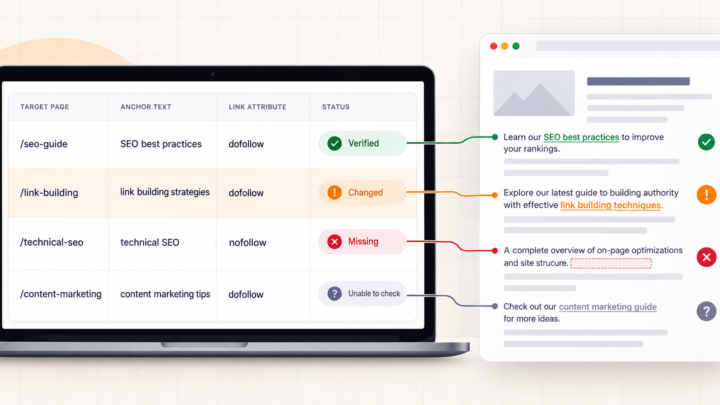


If thousands of backlinks suddenly appear from one website, you probably did not receive thousands of separate endorsements. One link in a footer, sidebar or shared template can repeat across every page the site publishes. Backlink tools may report each linking page, while the whole pile still comes from one referring domain.
That pattern is called a sitewide link. It is not automatically useful, harmful or manipulative. The large number tells you how often a crawler found the link, not why it exists or how Google values it. So keep your finger away from the disavow button for a moment. It has never been improved by panic-clicking.
First, separate backlinks from referring domains
A backlink is a link found on a particular source page. A referring domain is the website hosting one or more of those source pages. If 240 pages on example.com contain the same footer link to your services page, a backlink index could show 240 backlinks from one referring domain.
Those numbers answer different questions. The backlink count describes repeated source-page discoveries. The referring-domain count describes how many websites produced them. Neither figure, by itself, proves relevance, editorial choice, traffic, risk or ranking value.
Google Search Console adds another limitation. Its Links report is a sample rather than a complete backlink index. Google says it combines duplicate links from the same source URL to the same target URL, groups linking sites by root domain and limits some tables to 1,000 rows. That documentation explains the report. It does not prove the popular claim that Google turns every sitewide placement into one ranking vote.
A simple example of an inflated backlink count
Consider this clearly illustrative example. A software directory has 240 public pages. Its shared footer contains one branded link to a developer’s homepage, so the same target appears on all 240 pages.
| What you count | Illustrative result | What it establishes |
|---|---|---|
| Backlinks | 240 | The crawler found a link on 240 source URLs |
| Linking pages | 240 | The repeated placement appears across 240 pages |
| Referring domains | 1 | All observed pages belong to one website |
| Independent editorial mentions | Not established | The count alone cannot show why the link was placed |

Now imagine the site grows to 2,000 pages. The backlink total may grow with it even though nobody made 1,760 new editorial decisions about the developer. The count became larger; the relationship did not become broader.
Open the source pages before judging the link
Export several source URLs from the domain, including an old page, a recent page and a few different page types. Do not inspect only the homepage. Then answer these questions:
- Does the link actually repeat? Find it on each source page and note whether it sits in the footer, sidebar, header, navigation or body.
- Where does it point? Record the exact target, including any redirect. A legacy service URL redirecting to a homepage is a different situation from a clean link to a current resource.
- What does the anchor say? A brand name, an image credit and repeated commercial keywords communicate different intent. For an image link, inspect the image’s alternative text rather than pretending there is a visible text anchor.
- How is the link qualified? Check for
nofollow,sponsoredand otherrelvalues. Our guide to link attributes explains what the page can establish and where the answer remains unknown. - Why is it there? Determine whether it is ordinary navigation, a voluntary credit, a paid placement, a contractual requirement, a widget link or something you never arranged.
A high domain metric cannot answer those page-level questions. Domain scores describe a provider’s model of the website’s backlink profile. They do not read the placement agreement, fix a stale destination or make an exact-match footer link natural. That is why Domain Rating is not enough when the decision concerns an actual page and link.
Are sitewide links bad? Placement and intent decide
| What you find | What matters | Sensible next step |
|---|---|---|
| Useful navigation or a voluntary branded credit | The link helps visitors and was not created mainly to manipulate rankings | Verify the target and wording. A large count alone is not a reason to remove it. |
| A paid sitewide placement | The commercial relationship should be clear to search engines | Ask the publisher to qualify it with rel="sponsored" or nofollow. |
| Keyword-rich footer or widget links distributed for rankings | Intent, scale and repeated optimized anchors raise the real concern | Ask for the link to be removed, changed or properly qualified. Keep a record of the request. |
| Unsolicited scraper or copied pages | You did not create or control the links | Document the pattern and check Search Console for a manual action before considering stronger measures. |
Google’s spam policies describe widely distributed footer or template links as link spam when links are created primarily to manipulate rankings. The same guidance also says paid placements should be qualified. The policy targets the purpose and implementation, not the mere fact that a link appears in a footer.
Do not disavow a domain because the number looks frightening
Google calls its disavow tool an advanced feature, warns that incorrect use can harm search performance and says most sites do not need it. Its guidance limits the tool to situations involving a considerable number of spammy, artificial or low-quality links and a manual action or likely manual action.
A tool showing 20,000 backlinks from one domain does not establish either condition. Check whether you or someone working for you arranged the placement, inspect the link pattern, and look in Search Console’s Manual actions report. If the link is paid or controlled, correcting it at the source gives you clearer evidence than uploading a domain because a chart turned red.
If a manual action or a history of deliberate link schemes makes disavowal a real possibility, follow Google’s disavow instructions and get experienced case-specific review before uploading anything.
The number is the alert, not the diagnosis
When one website produces thousands of backlinks, start with referring domains, then sample the exact source pages. Confirm the placement, target, anchor, link attributes and reason the link exists. That evidence tells you whether you are looking at ordinary navigation, a legitimate credit, a paid placement that needs qualification, a manipulative pattern or simply noise you did not create.
The raw count can point you toward the investigation. It cannot finish it for you.