
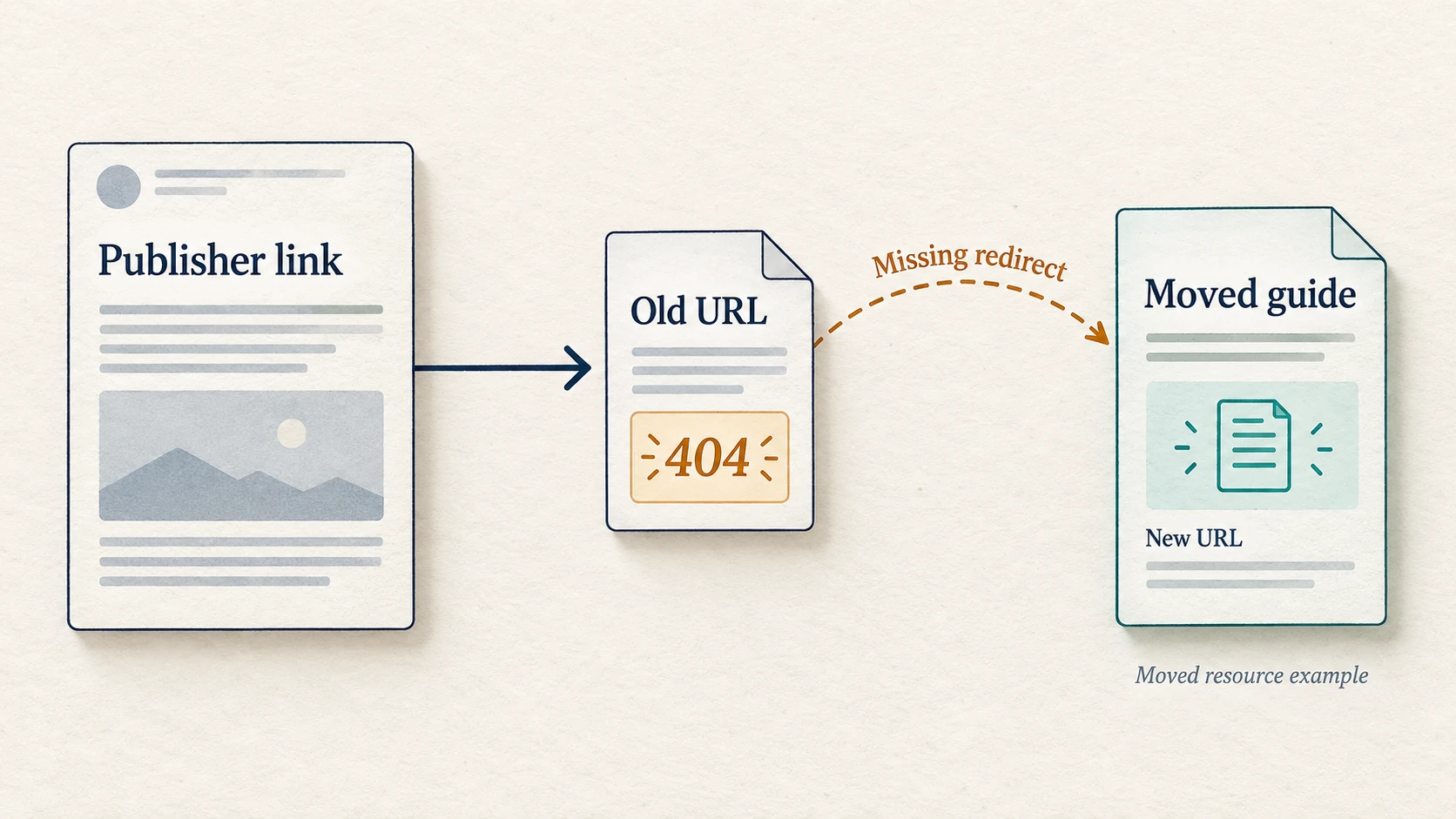
If backlinks lead to missing pages after a redesign, check the old destination URLs before asking publishers to change anything. Restore a useful page that disappeared accidentally, or permanently redirect a moved resource to its relevant replacement. If the resource is genuinely gone and has no suitable replacement, keep an honest 404 or 410.
A publisher may still link to your guide, product or download while your new site no longer serves that address. A new colour palette is a poor substitute for the resource someone clicked to read.
This is about incoming backlinks to your own old URLs. Start with the destination problem you can fix. If the linking article itself disappeared or removed your link, use the separate checks for reported lost backlinks.
Find broken backlinks pointing to your old pages
A crawl of your current site can find broken internal links, but it may miss old URLs that no current page links to. Build your repair list from incoming-link reports and records of the previous site.
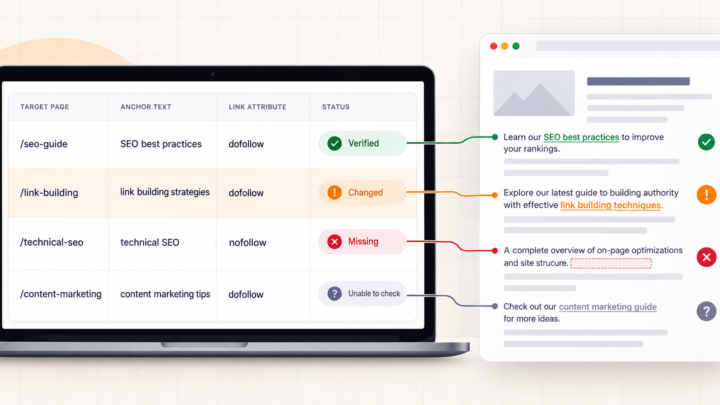
If you have Ahrefs access, enter your own site in Site Explorer and use its Broken backlinks report. It identifies referring pages linking to 404 targets and includes anchor and surrounding text. Export the source-page and target-URL details available to your account. This is a discovery list to verify, not proof that every recorded link is still present.
Without that access, start with Search Console’s Links report, past placement reports and your old sitemap or CMS export. Google says its Links report is sampled and can include historical links, so do not treat it as a complete current inventory. Server logs and analytics can also reveal requests to old paths worth checking.
Keep one row per affected old URL, with its referring pages attached. Several publishers may point to the same missing resource; fixing that destination can repair the route for each link that still uses it. Retain the exact address, including meaningful query parameters. Similar-looking URLs can identify different resources.
Confirm where the link fails
Open a referring page and find the actual link. Copy its address, then follow it. Record the first response, any redirects, the final URL and what the destination contains. Browser developer tools’ Network panel can show document requests and response codes while you load the address.
A 404 or 410 indicates a missing or gone resource. A timeout, 403, 429 or server error needs a different investigation: access, rate limits or availability may be involved. A blocked request does not prove the publisher removed the backlink. Keep uncertain source checks unresolved and retry appropriately.
Read the final page even when the request succeeds. Google explains that an error page returning a success response can become a soft 404. A page saying “Nothing here” with HTTP 200 is not the restored guide. Nor is a redirect automatically useful because it ends on a working homepage.
Choose the repair by what the old page offered
Use the old content, the publisher’s sentence and the anchor text to understand what visitors expected. Then choose one of these actions. The examples below are illustrative URL decisions, not customer cases or measured ranking results.
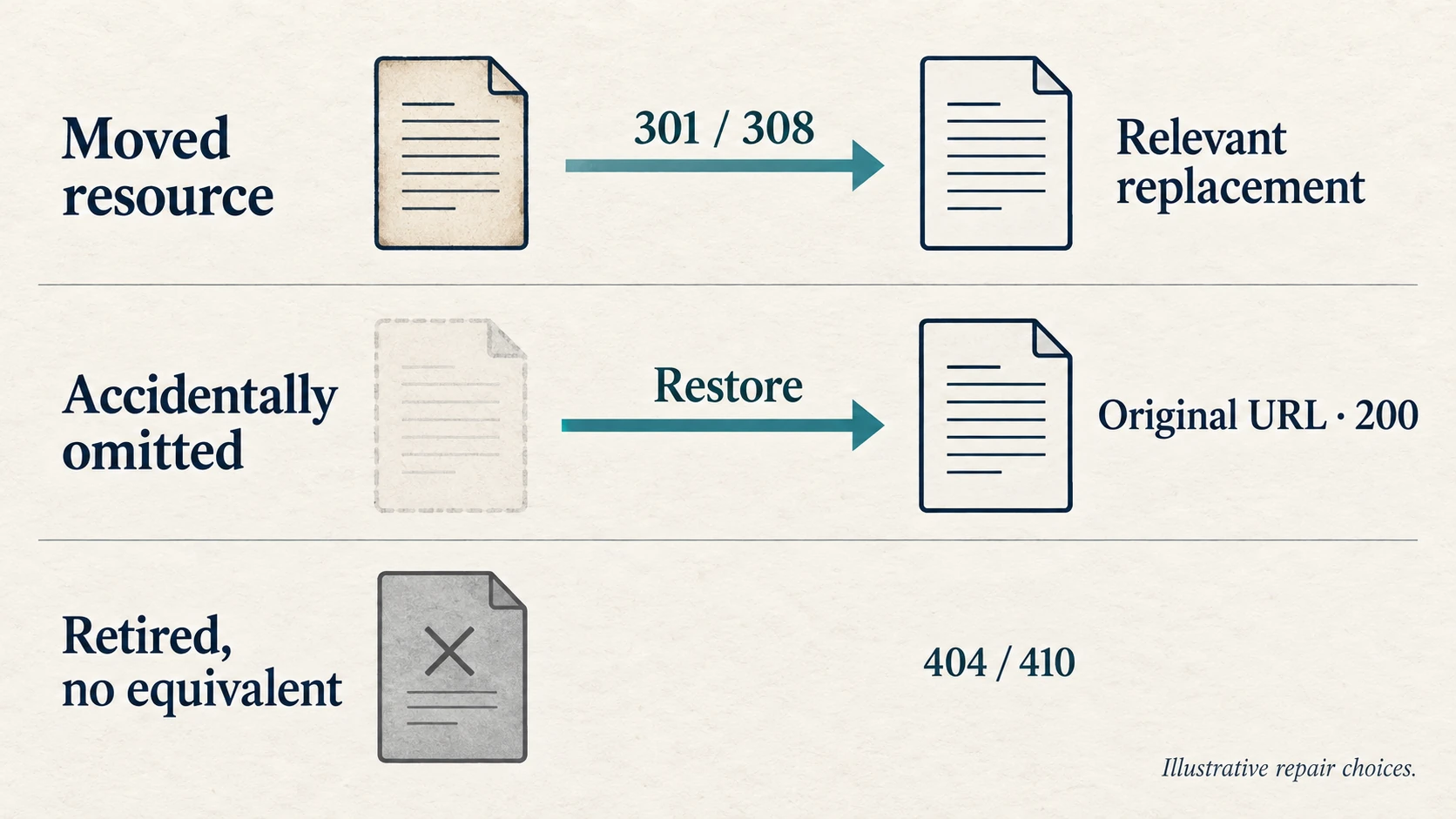
Restore a useful resource that disappeared accidentally
Suppose an installation guide was omitted from the migration, but it still supports a product you sell. Restore a current, useful version at its old URL if that address can sensibly remain. Check that it returns 200 and actually contains the guide. Restoring an empty page just to remove the error does not solve the visitor’s problem.
Redirect a moved resource to its real replacement
If that guide now lives at a new path, map the old address directly to the updated guide. Google recommends permanent server-side redirects such as 301 or 308 for permanent moves. The destination should fulfil the reason the original link was useful.
A broader consolidated guide can work if it genuinely includes the material that moved. A product-category page needs closer judgment: does it answer the old link’s purpose, or just share a few words with it? Google warns against redirecting old URLs to an irrelevant destination such as the homepage, which can confuse visitors and be treated as a soft 404.
Leave a retired resource gone when no equivalent exists
A withdrawn download or obsolete service may have no useful replacement. Do not invent one to make every report row green. Google’s HTTP status guidance describes 404 and 410 as appropriate signals for unavailable content. A helpful error page can offer navigation while still returning the correct error response.
Give the developer an exact map, then test it
For each old URL, supply the chosen action, exact destination if applicable, reason and person responsible. Start with useful resources that still receive relevant incoming links or visits. Domain scores alone should not decide which missing page gets rebuilt.
Implement redirects through the CMS or server setup your site actually uses. Review broad pattern rules before applying them: changing a directory name can be predictable, but deleted products and merged guides often need individual mappings. A rule that sends every unmatched URL to the homepage can conceal mistakes.
- Request the exact old address. Confirm the intended 301 or 308 and final location. A rule working for one URL variant does not establish that every externally linked variant works.
- Inspect the replacement. It should load the promised resource, not redirect again, show an error or require an unexpected login.
- Check for chains and loops. Point the old address directly to the final destination where possible. Update your own internal links and sitemap to the current URLs.
- Save the result and date. Keep the original finding and the post-repair observation so the fix can be checked again after later site changes.
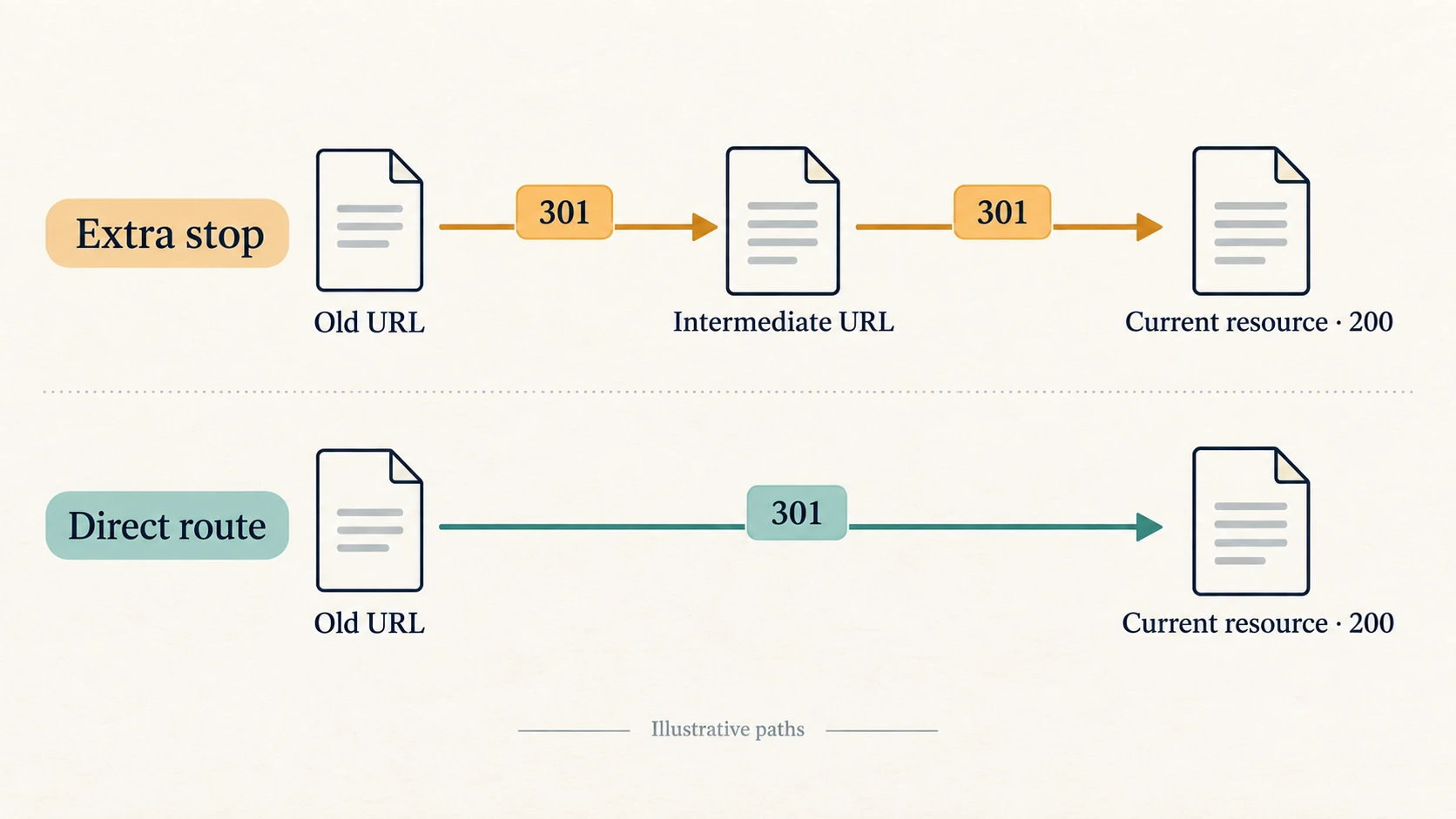
A canonical tag on the replacement page cannot send someone from a missing old address to it. The redirect must work when that old URL is requested. Check the replacement’s canonical settings and remove accidental development restrictions, such as a staging noindex rule, from pages intended for Search.
Contact publishers after your destination works
For an important reference, ask the publisher to update its link to the current resource once you have tested it. Give the exact source page, old address and correct new address, with a short explanation of what moved. Keep the redirect for other readers and links you have not found; one edited article does not update every reference.
Google’s migration guidance recommends retaining redirects as long as possible, generally at least a year, and considering longer retention for users. Monitor your repaired URLs and your site’s search performance, but keep the outcomes separate. A working route is a verified repair, not a promise that rankings will return on a particular date.