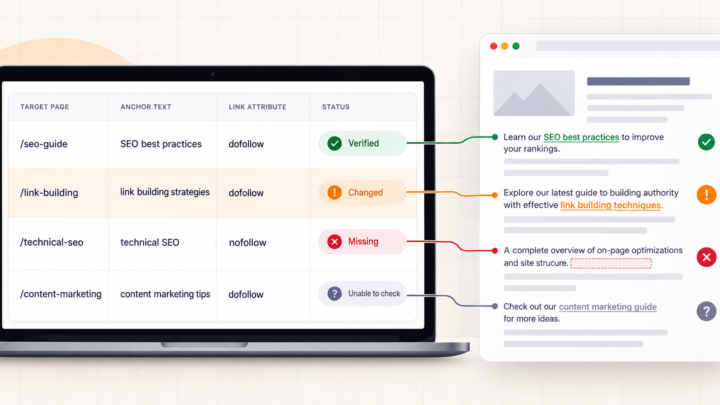

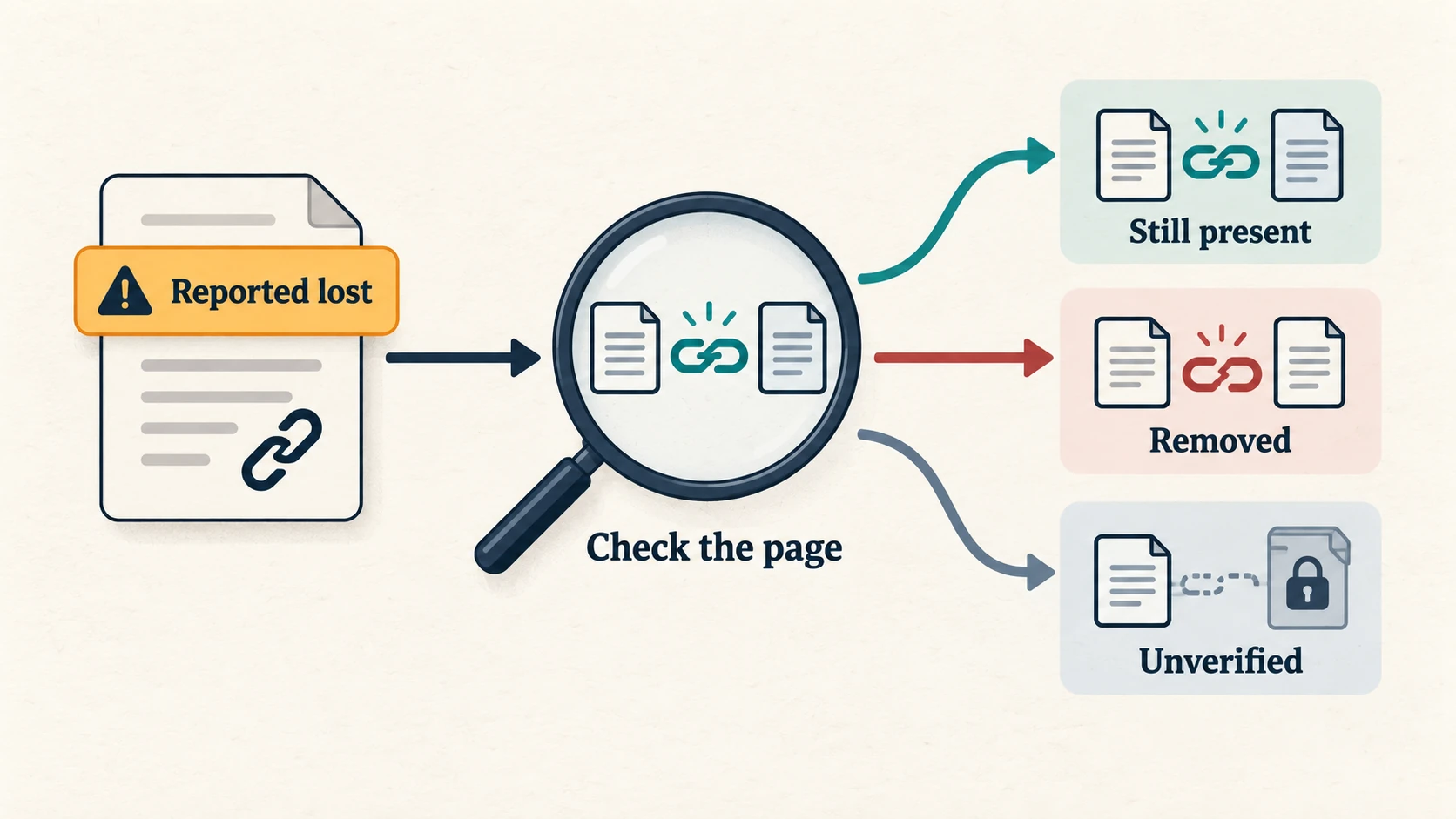
Seeing lost backlinks in Ahrefs or Semrush does not mean every publisher deleted your link. Open the exact linking page, check where its link points, and separate a genuine removal from a changed URL or a failed check. Fix what you can verify before spending money replacing links that may still be there.
That red “lost” label can make months of work feel wasted. But a backlink report is not a resignation letter from every website that mentioned you. Ahrefs documents several reasons a visible link can be reported lost, including crawler blocks, temporary site errors, redirects and changes to the target URL.
Check the exact placement before blaming the publisher
Take one important link from the lost report. Save its source URL, previous target URL, loss reason and the tool’s last-check date. Then make three checks:
- Open the source page. If it redirects, inspect the final page. A moved article may still contain your link. A login screen or bot challenge does not tell you what is inside the article.
- Find the actual link. Look in the section where it appeared, including image links. Right-click the link and copy its address, or inspect its HTML to read the
href. A mention of your brand without a clickable link is a different result. - Follow the destination. Record where it ends up and whether that page works. A source page can link to your domain while sending visitors to the wrong article or a 404.
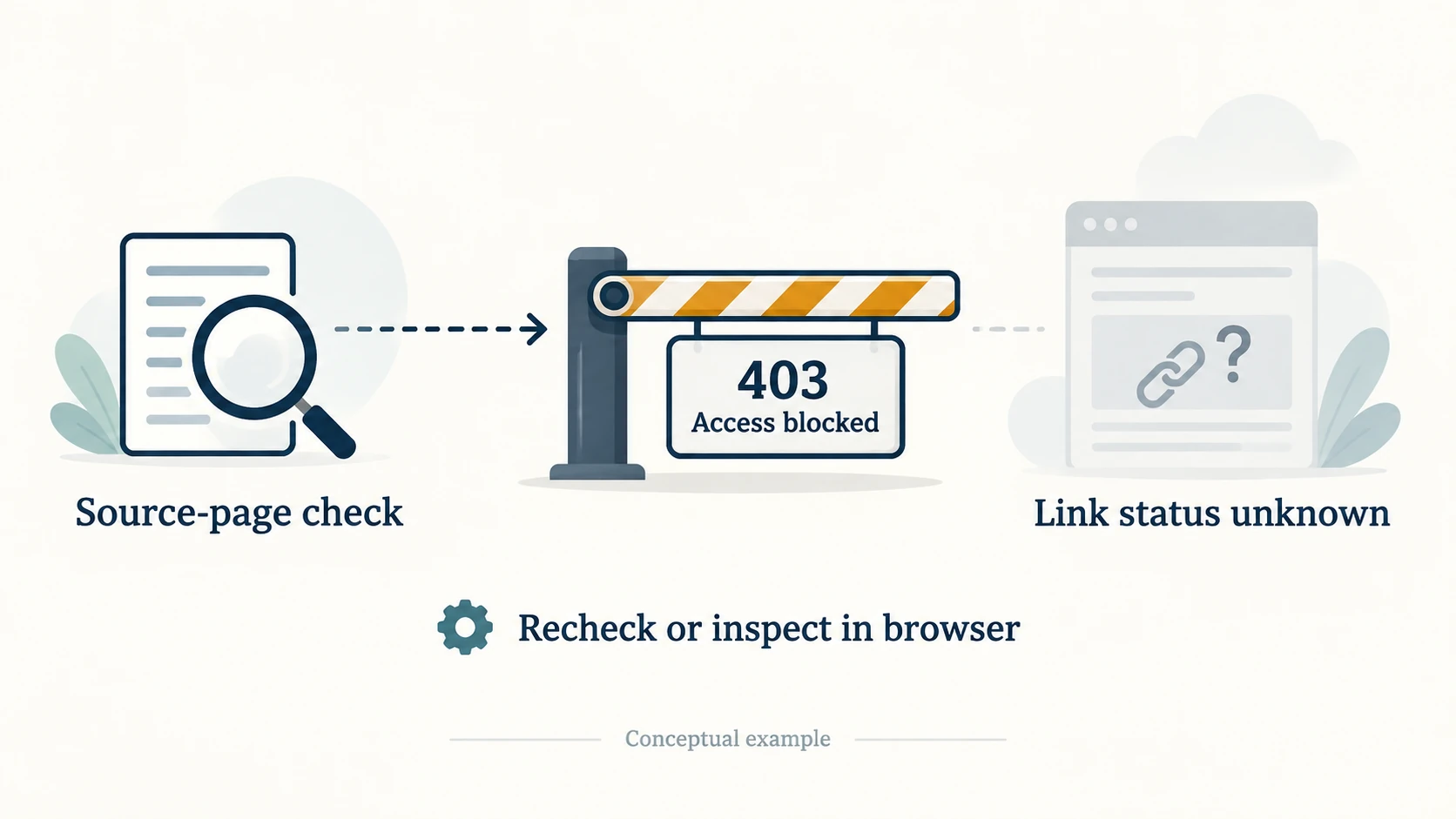
If the browser shows a link but a checker cannot read it, keep the result unresolved until you understand the difference. Browser-built content and blocked requests can produce different observations. Do not turn “could not check” into “publisher removed it.”
Four controlled local checks on 15 September 2026 show why these distinctions matter. These were test pages, not customer placements, and they did not measure Google’s indexing or rankings.
| Controlled check | What was observed | Decision |
|---|---|---|
| A linking page moved | The source returned 301; the final page loaded and retained its client links | Record the new source URL. There is no missing link to restore. |
| A link pointed to a missing destination | The source contained the link, but its target returned 404 | Investigate the target URL rather than asking for the link to be added again. |
| A source page carried noindex | The page loaded and still contained a client link | Keep link presence separate from the indexing directive. |
| A source refused access | The request returned 403, so the article could not be read | Leave link presence unverified. Retry appropriately or check in the browser. |
Your link may be live while its destination is broken
This is worth checking after a redesign, deleted article or URL change. If the publisher still links to an old URL on your site, the first repair may be yours.
If the same resource moved permanently, redirect the old URL directly to its relevant replacement. Google’s redirect guidance recommends permanent server-side redirects for permanent moves, such as 301 or 308. If a useful page was deleted accidentally, restoring it may be the better fix.
Do not send every missing article to the homepage to make the error column look clean. Google warns that irrelevant redirects can confuse visitors and be treated as soft 404s. A replacement must satisfy the reason someone clicked the original link.
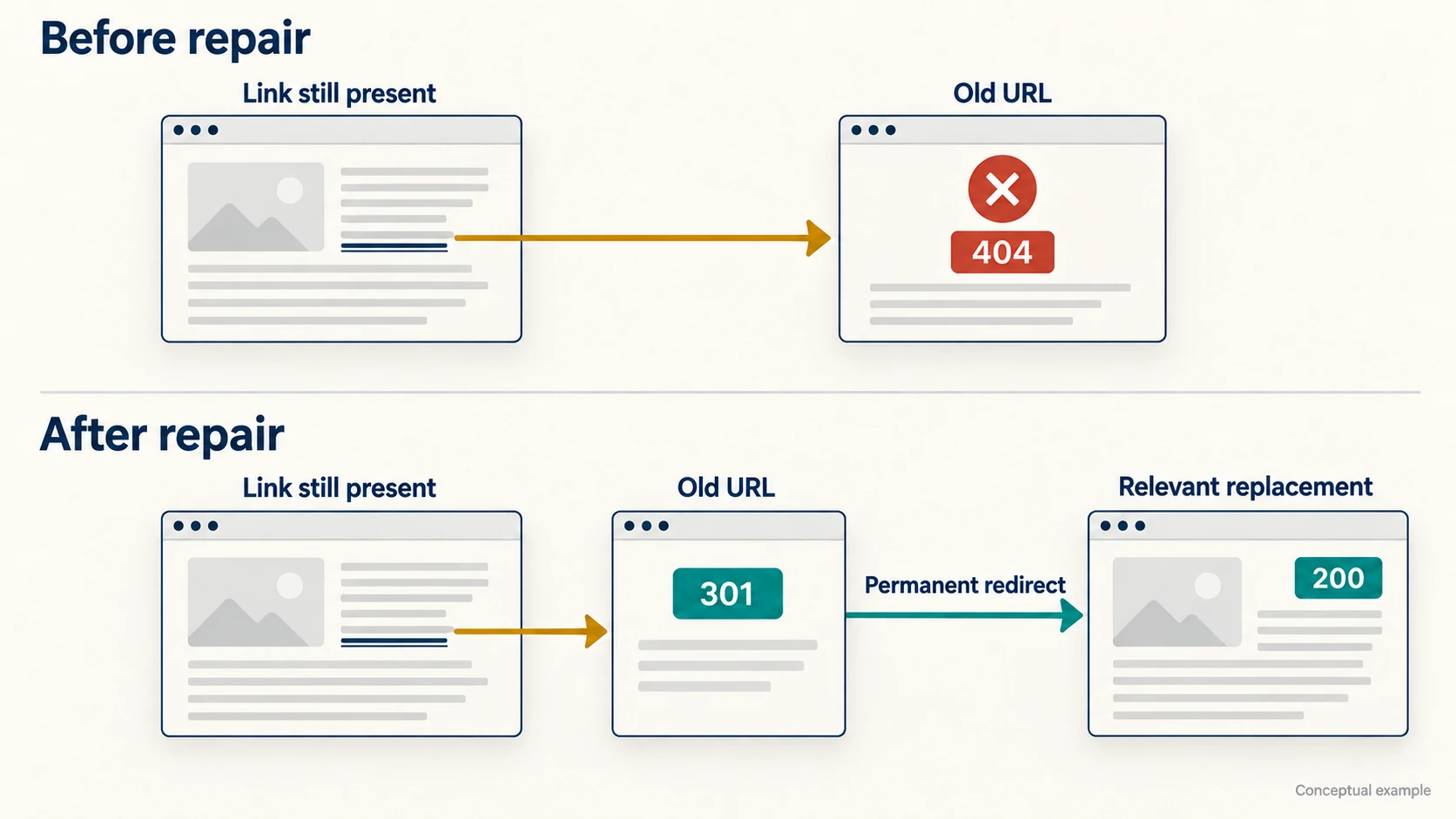
If the publisher changed the link to another working page on your domain, compare that page with the surrounding sentence. A different URL can be perfectly appropriate. If it is wrong, send the editor the correct destination and explain the mismatch. You need a correction, not another link-building campaign.
Still there? Check what the lost label actually describes
Ahrefs separates changes to the source page from changes to the link itself. Its lost-link definitions include noindex, another canonical URL and pages dropped from its own index. Those labels do not all mean someone removed an HTML link, and a tool’s index is not Google’s index.
A canonical pointing elsewhere identifies another preferred version of the source. Inspect that URL as well. If the link is there, record it; if not, you have a specific change to investigate. Do not assume the publisher’s canonical is an error just because your backlink report changed.
A noindex directive is also separate from link presence. Google explains that it removes the page from search results after crawling and processing the directive. Finding the tag does not establish when Google processed it or how Google values a particular link. If the setting looks accidental, flag it politely to the publisher; they control whether the page should appear in search.
Likewise, a change from follow to nofollow or sponsored is an attribute change, not physical removal. The link-attribute guide helps you interpret that difference. For paid placements, Google recommends sponsored, with nofollow also acceptable. Asking a publisher to remove the qualification is not a sensible recovery strategy.
When the publisher really removed your link
If the article loads normally and no longer links to the resource, compare it with a saved placement record or an available older capture. Check whether the relevant section disappeared, a new source replaced yours, or your resource became outdated. Without earlier evidence, you can establish that the link is absent now, but not confidently why or when it disappeared.
Contact the publisher when you have a useful, specific correction. Include the source URL, the section involved, your working destination and why it still helps their readers. If their article now answers a different question, accept that your old link may no longer belong.
If an agency arranged the placement, give it the evidence and check the written replacement or retention terms. A delivery report proves what was reported at the time; it does not prove the placement remains live today. Describe the change you observed rather than accusing someone based on a red dashboard label.
Which lost backlinks are worth chasing?
Prioritize relevant editorial mentions, links that brought referral visitors and fixes to destinations you control. Check whether your resource still deserves the citation before requesting restoration. A high Domain Rating alone does not answer that question; the guide on where domain-level metrics miss page quality explains the limitation.
Leave irrelevant, spammy or obsolete placements alone. If a publisher declines a reasonable correction, move on. Recovering a link can repair a citation or visitor journey; it does not guarantee that rankings will recover. If search performance also fell, investigate the affected pages separately using the article on backlinks that do not move rankings.
Keep a dated record of the final source URL, actual target, link attributes, access result and evidence. Give unresolved checks their own status and recheck after a repair. Then the next lost-link alert becomes a question you can answer, rather than a reason to buy another spreadsheet.