
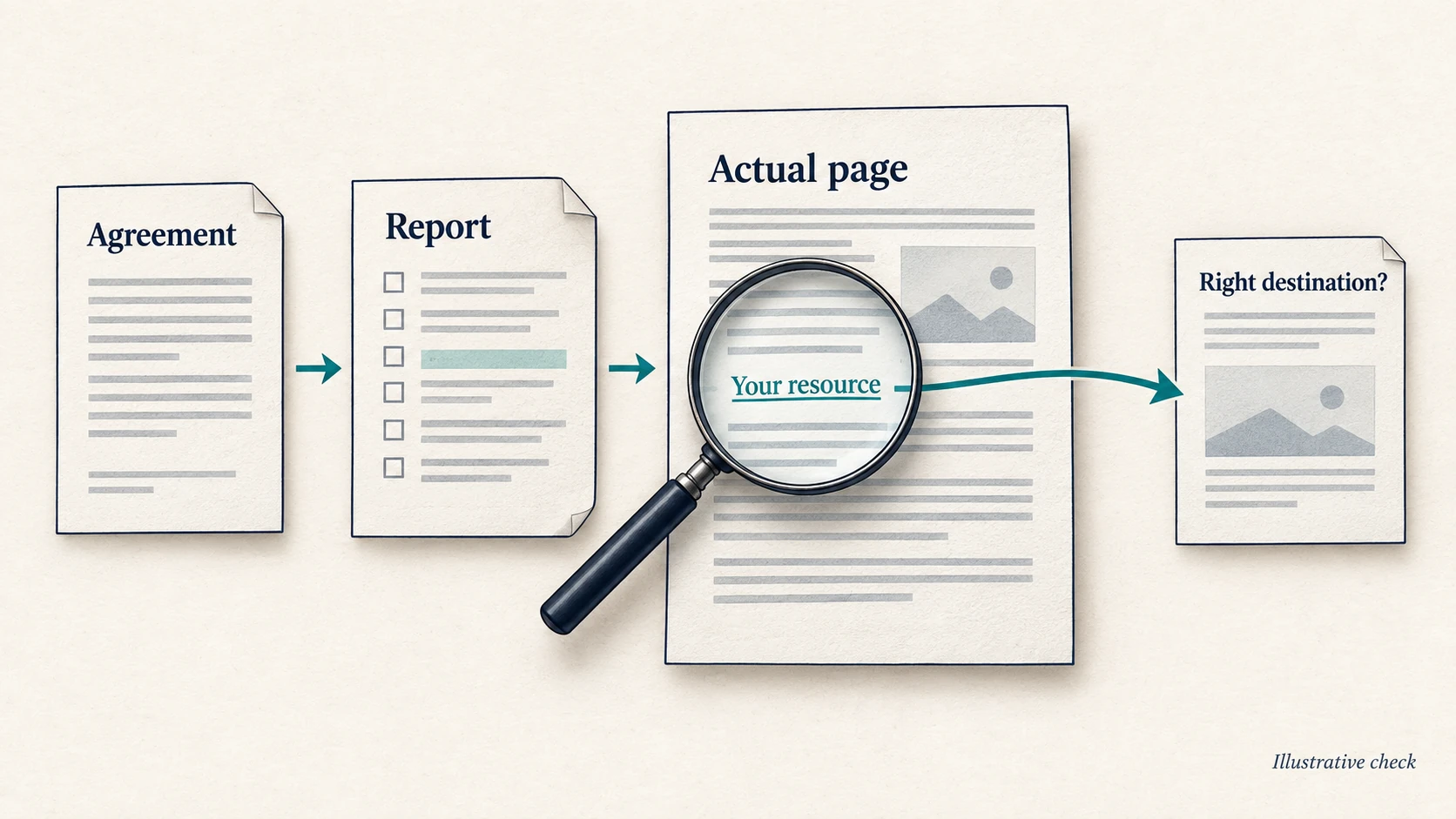
Before signing off a link building report, check the exact source pages, the links inside them and where those links send visitors. Compare those observations with what was agreed. A list of impressive domains can show where work was planned without proving that the right placements were delivered.
Your report may be perfectly accurate. Check it anyway. A spreadsheet does not become evidence because someone gave the header row a nice colour.
The useful question is not just “How many links did we get?” It is “Which placements meet the agreement, which need fixing, and which could we not check?” Ranking and revenue changes deserve their own assessment.
Start with the agreement, then open the pages
Find the proposal, order or approved placement list. Pull out the promised destination pages, subject areas, placement types, delivery dates and any written correction or retention terms. An editorial mention, a directory listing and a sponsored article are different deliverables.
If the report only supplies publisher homepages, request the full linking-page URLs. You should be able to open the actual article or listing. Keep proposed sites and outreach in progress separate from completed placements.
- Read the source page. Does its subject fit the agreed audience? Read the paragraph around your mention. The link should help someone understand, compare or do something relevant, rather than interrupt an unrelated article.
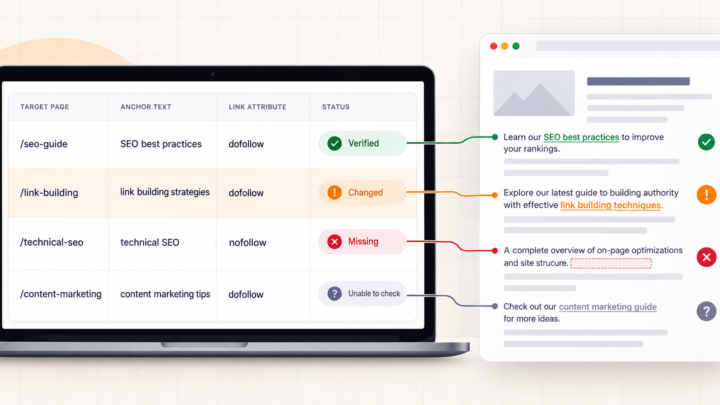
- Check the link itself. Find the clickable text or image, copy its address and compare it with the promised URL. A brand mention without a link is not a delivered backlink. Record the anchor text and any
relattributes, includingnofollow,ugcorsponsored. - Follow the destination. Confirm that visitors reach the intended, working resource. A link to your domain can still lead to the wrong product, an old article or an error page. Record redirects and the final URL, not just whether the first request returned a response.
- Save the observation and date. Note what you checked, how you checked it and any limitation. If a bot challenge, login or browser-built page prevents inspection, leave it unverified. An inaccessible page is a reason to investigate, not evidence that the supplier failed to deliver.
Keep each distinct placement once. Duplicate spreadsheet rows do not represent extra delivery. Also distinguish source pages from individual links: one article can contain several links to your domain. Agree which unit the report counts before comparing its total with the order.
Use a report that makes exceptions easy to see
You do not need another dashboard. Add these fields to a copy of the delivery sheet so the original remains available for comparison:
- Agreement: source-page URL, promised target URL, agreed placement requirements and reported delivery date.
- Evidence: final source URL, link presence, actual target, anchor and attributes, final destination response, check date and method.
- Decision: verified as agreed, needs correction or unverified; then the reason, action owner and next check date.
The example below is hypothetical. These are reporting decisions, not tested placements, customer results or a measure of SEO value.
| Agreed delivery | Observation at review | Decision | Next action |
|---|---|---|---|
| A relevant article linking to the specified resource | The article contains the agreed link; its destination works | Verified as agreed | Save the evidence and review retention under the written terms |
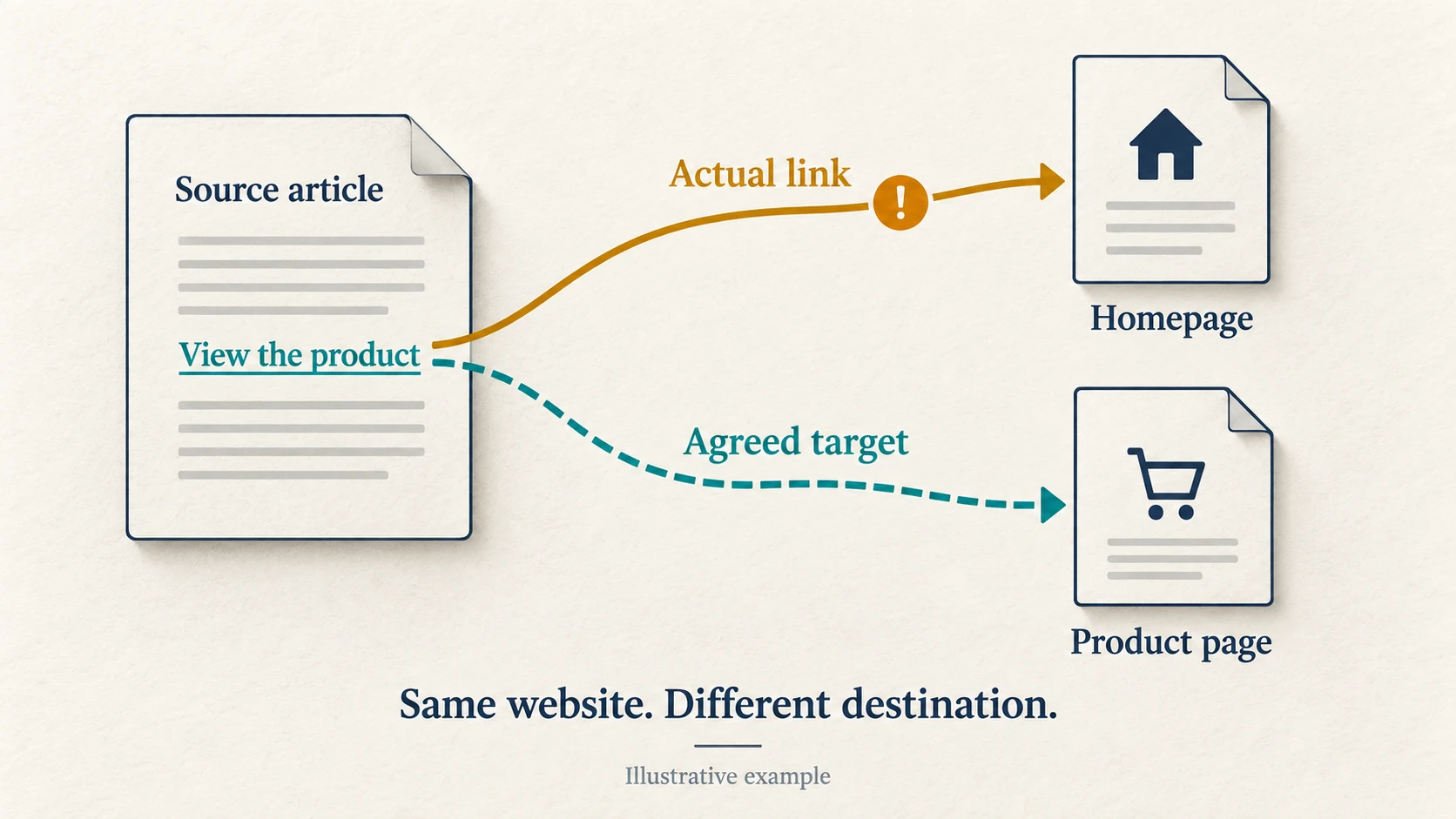
| A link to a product page | The article links to the homepage instead | Needs correction | Send the supplier the exact agreed product URL |
| A placement reported as live | A challenge screen prevents reading the article | Unverified | Inspect appropriately in a browser or request reviewable evidence, then recheck |
| Two distinct article placements | The same source URL appears twice in the sheet | Count needs clarification | Ask for the second distinct placement or an explanation of the counting unit |
A screenshot can preserve what someone saw at a particular time. Keep the URL and date with it, and re-open the page for the current review. A screenshot alone cannot establish that a placement is still live.
Do not let a domain score settle the review
Ahrefs describes Domain Rating as a site-wide backlink-profile metric. It does not verify the sentence containing your link, the destination or whether the placement meets your agreement. Use it as context alongside a review of the actual page.
If the supplier reports estimated organic traffic, ask whether the figure refers to the whole domain or the linking page, which tool supplied it and when it was checked. Treat an estimate as an estimate. A displayed zero should prompt further review, rather than become an automatic declaration that nobody visits the page.
If a placement was sold as indexable, inspect relevant directives. Google explains that noindex prevents a page from appearing in Search when Google crawls and processes it. Finding no noindex rule still does not prove the page is indexed. A supplier claiming current indexing should provide appropriately dated evidence; URL Inspection requires access to the relevant property, so your site’s access does not cover an unrelated publisher.
Search Console is not a delivery receipt either. Google’s Links report documentation says it shows a sample, can retain links found in the past and does not identify nofollow links. A placement missing from that report is not, by itself, proof of non-delivery.
Paid placements need particular care. Google recommends sponsored for advertising or paid links, with nofollow also acceptable. Do not ask a publisher to remove those attributes to manufacture ranking credit. If the offer promised paid links for ranking manipulation, reconsider the offer against Google’s link-spam policy. Correct disclosure is not a defect to fix.
Ask for a specific fix, then judge results separately
Send the supplier the exception rows, source URLs, check dates and evidence. For a wrong destination, a useful request might read: “The article links to our homepage. The approved target was the product page in the order. Please correct the destination and confirm when we can recheck.” Include that exact product URL so the fix is unambiguous.
For an unverified placement, ask for help checking it. For a missing or changed placement, compare the evidence with the written correction or replacement terms. “Permanent” in a sales message is worth clarifying: who handles removal, for how long, and what remedy was agreed? Do not assume a refund or replacement right that the agreement does not establish.
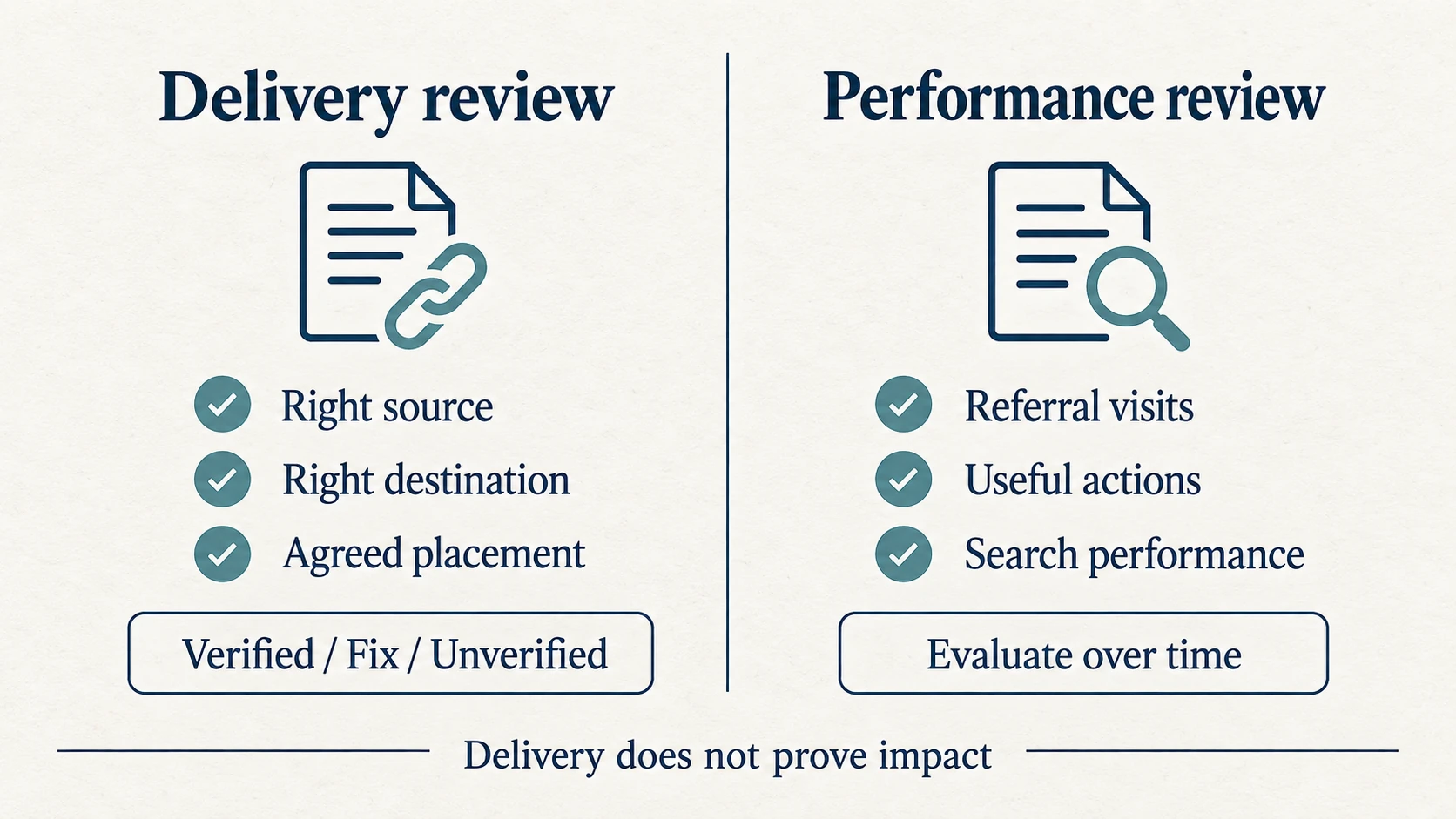
Finally, keep delivery and performance separate. Review referral visits and useful actions where your analytics records them. Compare the target pages’ search performance over suitable periods, accounting for content changes, seasonality and other SEO work. A rise after a placement is not enough to assign that rise to one link.
If delivery checks out but the site still struggles, the next question is why the backlinks are not improving rankings. Keep the verified placements, correction requests and unresolved checks visible in the report. That gives you something concrete to discuss before approving the next round of work.