
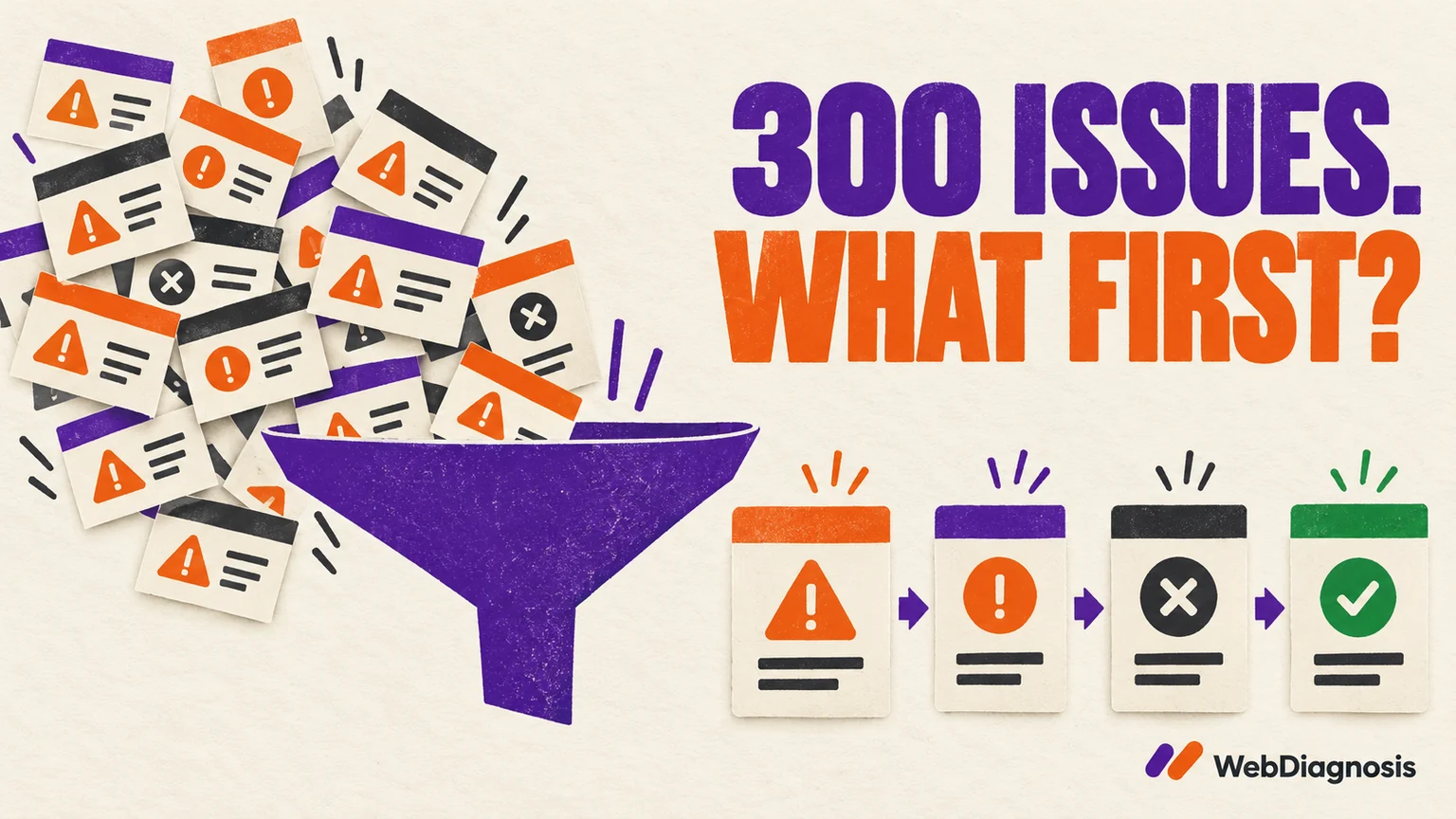
Do not start fixing an SEO audit from row one. A report showing 300 issues may contain three root causes repeated across 100 pages. Group the warnings first, confirm that each problem exists, then prioritise by impact, reach, evidence and implementation risk.
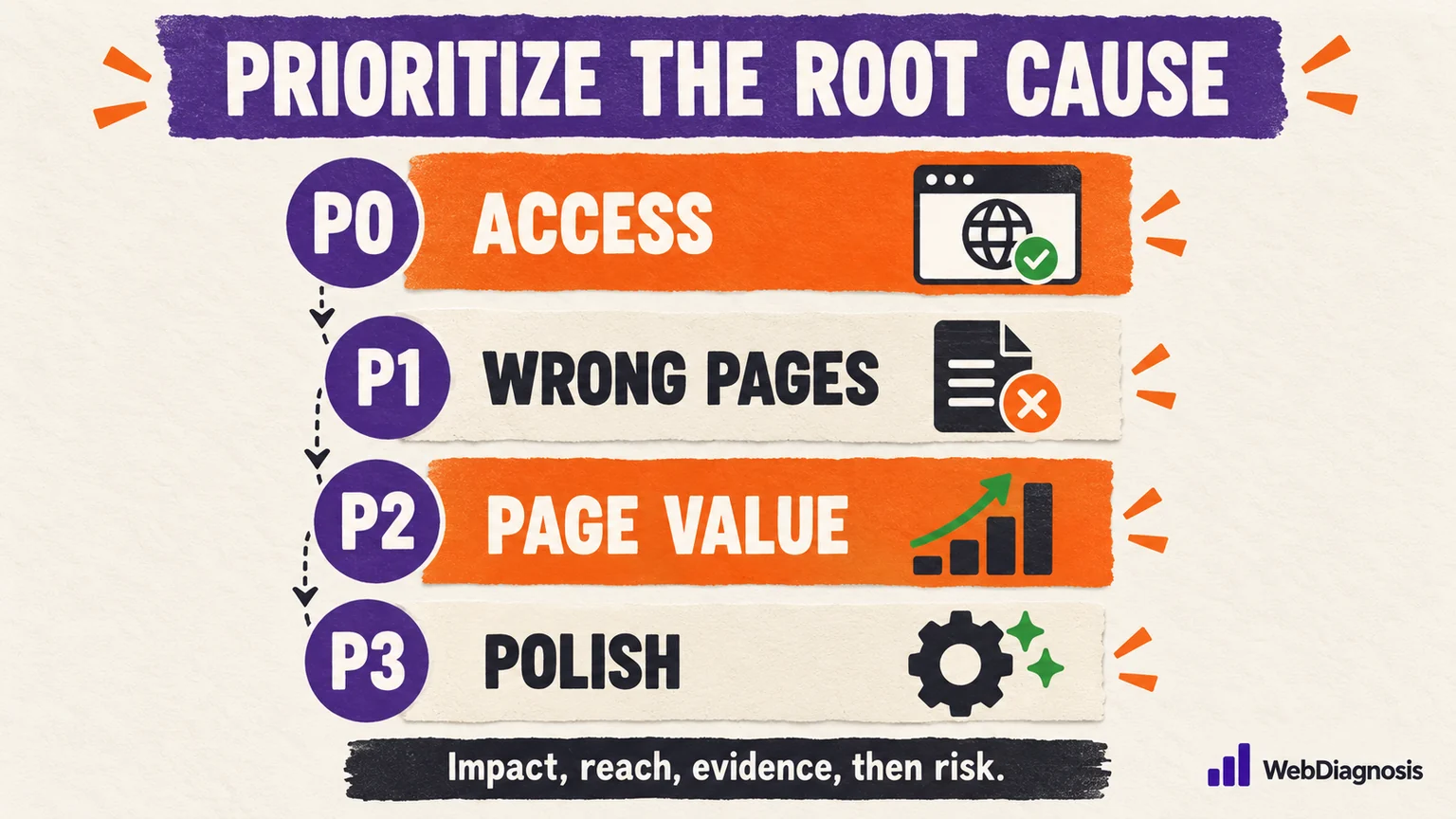
The first fixes should protect access and indexability on important pages. Next come problems that serve the wrong page, stale information or broken user journeys. Content, internal linking and search-result improvements follow. Cosmetic warnings can wait until they have a reason to matter.
An audit tool is very good at finding patterns. It is not your project manager, business owner or cautious developer. Its red badge knows something is unusual. It does not know whether that unusual thing costs you traffic, trust or nothing at all.
Turn 300 warnings into a handful of root causes
Before assigning priorities, deduplicate the report by template and cause. A footer link broken across 200 pages is not 200 separate engineering jobs. One shared footer created one problem with a reach of 200 pages.
| Audit output | Likely root cause | How to scope the fix |
|---|---|---|
| The same broken link appears across the site | A shared navigation, footer or template link | Fix the component once, then recrawl every affected template |
| One section lacks canonical tags | A template or SEO-plugin condition | Test one URL from each page type before changing the whole site |
| Many pages have duplicate titles and near-identical copy | Parameter pages, weak taxonomy or overlapping content ownership | Decide which URLs deserve to exist before rewriting titles |
| Only a few important pages return errors | URL-specific publishing, redirect or server problem | Fix those priority URLs directly and verify their final responses |
Keep the affected URL count, but do not let it become the priority by itself. One accidental noindex on a revenue page can matter more than 500 image-title warnings.
Use five questions to set the order
- Does it block people or search engines? Check security problems, server failures, login walls, robots rules,
noindex, broken rendering and unusable navigation first. - Does it affect an important page? A checkout, lead page or proven search landing page deserves attention before an abandoned tag archive.
- How far does the cause reach? A safe template fix affecting a whole valuable section can outrank a one-page improvement.
- Do you have evidence that it is active? Reproduce the response, inspect the rendered page and compare Search Console or analytics before turning a warning into a ticket.
- What can the fix break? A high-impact change with weak evidence may need a test and rollback plan, not an urgent production edit.
These SEO audit factors are more useful than severity labels alone. A crawler can estimate technical severity. Only the site owner and the people using the site can establish business importance.
P0: fix access, security and indexability blockers
A P0 issue prevents an important page from being used, crawled or considered for indexing, or exposes visitors to a serious security problem. Typical examples include persistent 5xx responses, accidental sitewide noindex, a production robots rule left over from staging, broken rendering and redirects that send users to the wrong destination.
Google’s minimum technical requirements are short: Googlebot must not be blocked, the page must return a successful response, and it must contain indexable content. Passing those requirements makes a page eligible for indexing, not guaranteed to rank. Failing them on a page you need in Search makes the rest of its SEO checklist mostly decorative.
Use Search Console’s Page indexing and URL Inspection reports to confirm the affected pages. Do not apply a sitewide fix because one cached crawler export says “blocked.” Check the current response, the rendered HTML and the canonical Google selected.
P1: fix wrong pages, stale information and broken journeys
Some of the most damaging problems still return a cheerful 200. The wrong page can be canonical. A marketing homepage can be built on the blog archive. Old prices or withdrawn claims can remain in a browser cache. A form can submit successfully and send the lead nowhere useful.
Prioritise these when they affect important pages because the site may look healthy to a crawler while giving users, search engines or your own reporting the wrong information. Include broken analytics and conversion tracking here. If measurement is unreliable, later decisions will be confidently wrong, which is worse than being honestly uncertain.
P2: fix page ownership, content value and internal structure
Once important pages are accessible and technically coherent, ask whether the site gives each page a clear job.
- Does the keyword-cannibalization check show several URLs answering the same search need?
- Are important pages buried, orphaned or linked with vague anchors?
- Does the page answer the current search intent or merely contain the target phrase?
- Does it add experience, evidence or a useful decision beyond what is already available?
This is where content consolidation, internal links, title rewrites and on-page improvements belong. Use Search Console by landing page and query to find pages with existing impressions, weak click-through rates or competing URLs. Google’s Performance report documentation explains the page, query, country and device filters needed to compare like with like.
Do not rewrite every page because a crawler dislikes its title length. Start where real queries and important user journeys show a reason to act.
P3: improve performance and presentation with real evidence
Performance can absolutely deserve a higher priority when users face slow responses, unstable layouts or broken interaction. But a laboratory score moving from orange to green does not automatically create search demand or improve conversion.
Check field data, affected templates and the user-visible delay. Google’s page-experience guidance warns against focusing on one or two signals in isolation. Fix what makes the experience meaningfully worse, not every opportunity merely because the tool knows how to measure it.
What our own WebDiagnosis audit changed first
On 7 September 2026, I audited the WebDiagnosis marketing site against the live responses and rendered pages. The site already had no measured mobile overflow, one H1 per page, one-hop redirects, passing colour contrast and a small page payload. Re-auditing those healthy areas would have produced activity, not progress.
The urgent problems were elsewhere:
| Verified finding | Why it mattered | What changed |
|---|---|---|
| Browsers cached HTML for seven days | Returning visitors could see research figures that had already been withdrawn | Documents now revalidate while versioned assets keep long caching |
| Only 1 of 11 original public pages had a canonical | The theme and SEO plugin cancelled each other’s output on staging | All 27 rebuilt public pages received a consistent self-referencing canonical |
| The homepage was technically the posts archive | Publishing posts could create the wrong pagination and schema behaviour | A real static front page and separate blog page were configured |
| Two structured-data graphs contradicted each other | The same entities appeared twice with different identifiers and page types | One controlled graph became the source of structured data |
| The research index contained only two words | An empty parent page was included in the sitemap | It became a useful research index with publishing rules and study context |
The cache problem came first because it was serving information we knew was wrong. Canonicals, homepage ownership and conflicting schema followed because they affected the whole site. The thin research page was then improved rather than padded. Each change was reproduced before the edit and checked again afterward, following the site’s evidence and publishing methodology.
This case does not prove those fixes increased rankings or traffic. It proves the defects existed and that the implementation corrected them. That distinction keeps an audit useful.
Turn the priority list into work people can complete
A useful audit ticket should include the affected template or URLs, evidence, expected outcome, owner, risk, verification step and rollback route. “Fix canonicals” is not a task. “Make the product template self-canonical, test three product URLs and verify the rendered tag after cache purge” is.
Limit the first implementation batch. Fix the highest-confidence root cause, recrawl the affected section and confirm the result before stacking five unrelated changes together. Otherwise, a cleaner score may be the only thing you can explain afterward.
The right first fix is the one you can defend
Start with the issue that blocks an important page, misleads a user or corrupts your evidence. Prefer root-cause fixes that safely improve many valuable URLs. Leave low-impact warnings until the higher-priority work has been verified.
A good audit does not make the problem list look impressive. It makes the next decision obvious.