

An orphan-page warning can look like an easy technical SEO fix: find the page, add a link, move on. That is how weak pages, expired campaigns and duplicate URLs get pushed back into a site where they do not belong.
An orphan page has no crawlable internal link pointing to it. People browsing the site cannot reach it through the normal structure, although Google might still discover it through a sitemap, an external link or an earlier crawl.
The useful response is not “link every orphan.” First build a reliable candidate list. Then decide which pages deserve a path back into the site.
An orphan report is a candidate list, not a diagnosis
SEO tools use different data sources and definitions. One may call a page orphaned because its own crawler did not reach it. Another may flag any URL found in Google Analytics but absent from a crawl. A WordPress plugin might count only links stored in post content and miss navigation, archive or block-generated links.
This explains the familiar situation where a tool says “orphan,” but you can reach the page from a category archive. It may be a crawler-scope problem, a rendering problem, or simply a different definition.
Before changing the site, confirm three things:
- the URL returns the page you think it does;
- no crawlable internal link points to the canonical URL;
- the page is valuable enough to keep accessible and indexable.
If any answer changes, the right fix may change with it.
Why one website crawl cannot find every orphan page
A crawler starts from one or more known URLs and follows links. A true orphan has no internal link to follow, so the crawler cannot discover it from the site structure alone. You need to compare two sets:
- URLs a normal crawl can reach.
- URLs that other systems say exist.
Build the second set from independent sources. Each catches something the others miss.
| Source | What it can reveal | What it cannot prove |
|---|---|---|
| CMS or database export | Published pages, products and old content types | That a page is reachable, indexable or still useful |
| XML sitemap | URLs the site intentionally submits for discovery | That Google indexed them or that internal links exist |
| Search Console exports | URLs Google has encountered or reported | That every valid site URL is included or truly orphaned |
| Analytics and server logs | Pages visited by people or crawlers | That unvisited pages do not exist |
| Backlink export | URLs receiving links from other websites | That the destination still has an internal path |
Google’s sitemap guidance explains that a sitemap helps discovery but does not guarantee crawling or indexing. It also recommends linking every important page from another page on the site. A sitemap is a supporting source, not a replacement for site architecture.
How to find orphan pages on a website
Use this process whether you work in a crawler, a spreadsheet or a database.
1. Run a clean internal crawl
Start from the canonical homepage and crawl the same host and protocol used by the live site. Include rendered JavaScript when navigation depends on it. Export final URLs, status codes, canonicals, indexability and incoming internal-link counts.
Do not import sitemap, analytics or Search Console URLs into this first crawl. That would seed pages the link graph did not discover and blur the comparison.
2. Create a known-URL list
Combine the CMS export, XML sitemap, Search Console pages, analytics landing pages, server logs and backlink destinations. Normalize protocol, host, trailing slashes and parameters so the same page does not appear as several rows.
This list is evidence that a URL exists or existed. It is not yet evidence that the page should rank.
3. Subtract crawl-reachable URLs
Compare the normalized known-URL list with the clean crawl. URLs found in another source but absent from the crawl are orphan candidates.
Keep the source beside each candidate. A page found in the CMS and sitemap needs a different investigation from an old backlink destination that now redirects.
4. Group patterns before reviewing rows
Dozens of similar candidates often share one cause: a removed category link, broken pagination, a migration that dropped redirects, or a template that stopped outputting related content. Group URLs by directory, content type, template and status code before opening them individually.
Fixing the pattern can reconnect a whole section. Editing one URL at a time can leave the cause running quietly in the background. After a migration or redesign, also inspect the recovery steps for broken backlink destinations before treating every missing path as a new linking task.
Verify each candidate before changing the site
Open the canonical URL and inspect the rendered page. Then check:
- Does it return
200, redirect, or fail? - Is it canonical to itself or consolidated elsewhere?
- Is it indexable, or intentionally
noindex? - Does a menu, breadcrumb, archive, pagination path or related-content block link to it?
- Is that link a normal crawlable
<a href>link? - Is the page unique, current and useful for a reader?
Google’s crawlable-link guidance explains why JavaScript actions without a usable href may not create a dependable crawl path. Also check whether your crawler ignored subdomains, blocked paths, pagination or JavaScript rendering before calling the result an SEO problem.
If a tool reports an accessible page as orphaned, fix the audit configuration or site implementation first. Do not add repetitive links merely to make a dashboard turn green.
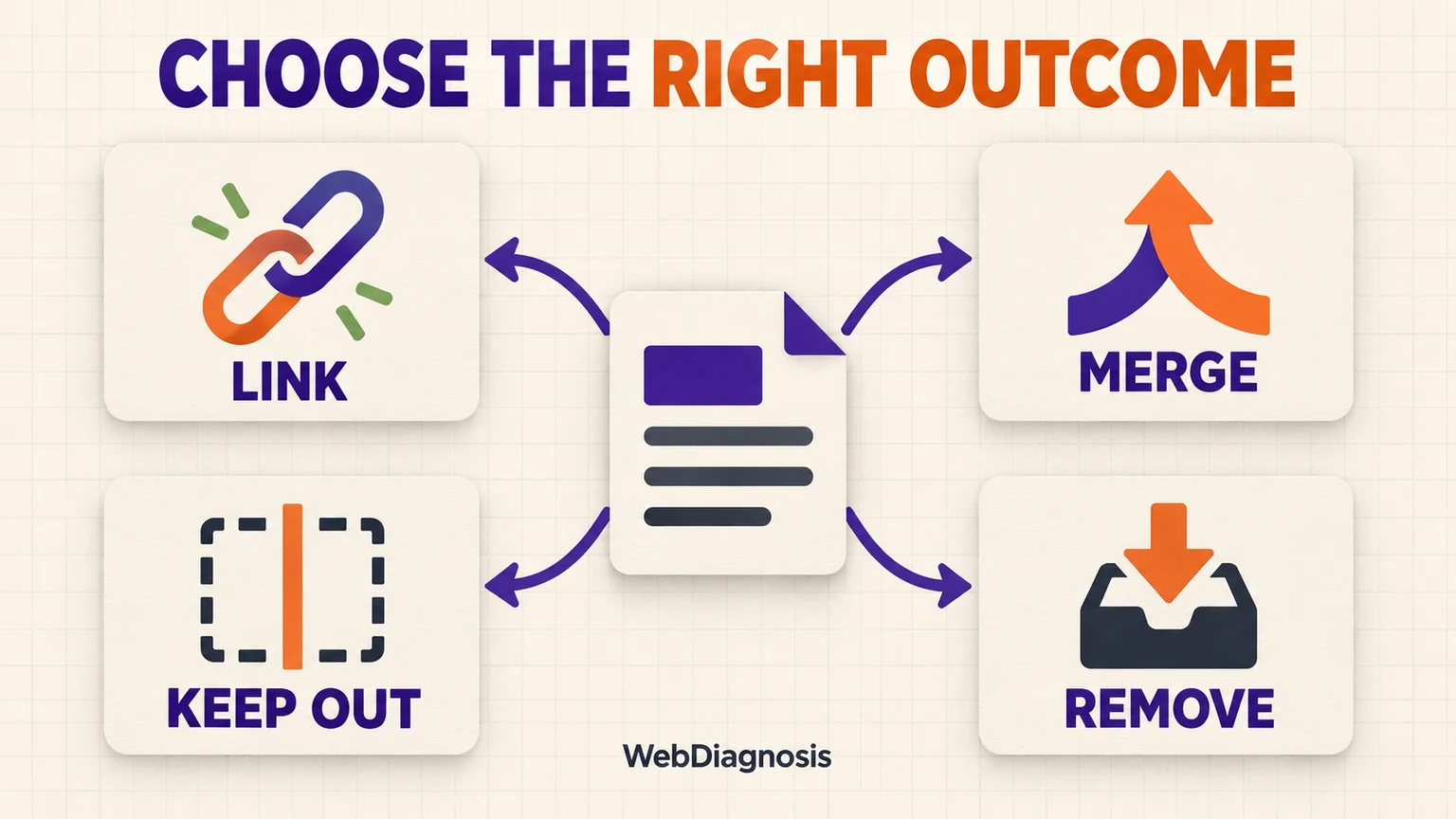
Choose the response the URL actually needs
| What you find | Best starting action | Why |
|---|---|---|
| Unique, useful page that belongs in the public journey | Add a relevant crawlable link | Readers and crawlers gain a clear path and context |
| Useful page that is outdated or thin | Improve it, then link it | A link should not promote a weak destination |
| Page substantially overlaps a stronger URL | Merge useful material and redirect | One clear destination avoids divided value and maintenance |
| Paid campaign, confirmation page or private utility | Keep intentionally isolated and usually out of the XML sitemap | Not every working URL belongs in organic search |
| Obsolete page with a close replacement | Redirect to that replacement | The destination continues the same reader task |
| Obsolete page with no replacement | Remove it with an honest 404 or 410 | An unrelated redirect creates confusion rather than recovery |
| Candidate caused by crawl scope or rendering | Correct the audit or navigation implementation | The page may never have been a true orphan |
If two pages seem to deserve the same role, use the keyword cannibalization publishing check before creating another internal-link path. If the page is valuable but its new links have not helped, diagnose the weak spot behind flat rankings rather than adding more links by count alone.
Add internal links that explain the relationship
For a page worth reconnecting, choose pages where a reader would genuinely need the destination. Use concise anchor text that describes what they will get. Google uses links both for discovery and as context, so “learn more” is usually less useful than wording tied to the destination’s purpose.
One strong contextual path can resolve strict orphan status. That does not mean one link guarantees indexing or rankings. The page still needs a valid response, useful content, coherent intent and a sensible place in the wider structure.
Consider a hub, category page, breadcrumb or related-content module when many pages share the same role. A systematic path is easier to maintain than scattering emergency links across unrelated articles.
Verify the fix instead of assuming it worked
Run another clean crawl without imported URL sources. Confirm that the page is reachable through internal links, returns the intended status, uses the expected canonical and remains indexable when appropriate.
Update the sitemap when an indexable canonical URL has been added or removed. For important changed pages, Google allows a recrawl request, but its recrawl documentation is clear that a request does not guarantee inclusion in search results.
Then monitor the relevant URLs in Search Console over time. If Google crawls a connected page but does not index it, move to a crawled-currently-not-indexed diagnosis instead of adding links indefinitely. A page moving from orphaned to connected solves a discovery and architecture problem. It does not prove that the page deserves to rank.
That is the standard worth keeping: find every candidate, verify what it is, and give only useful pages a deliberate place in the site.