
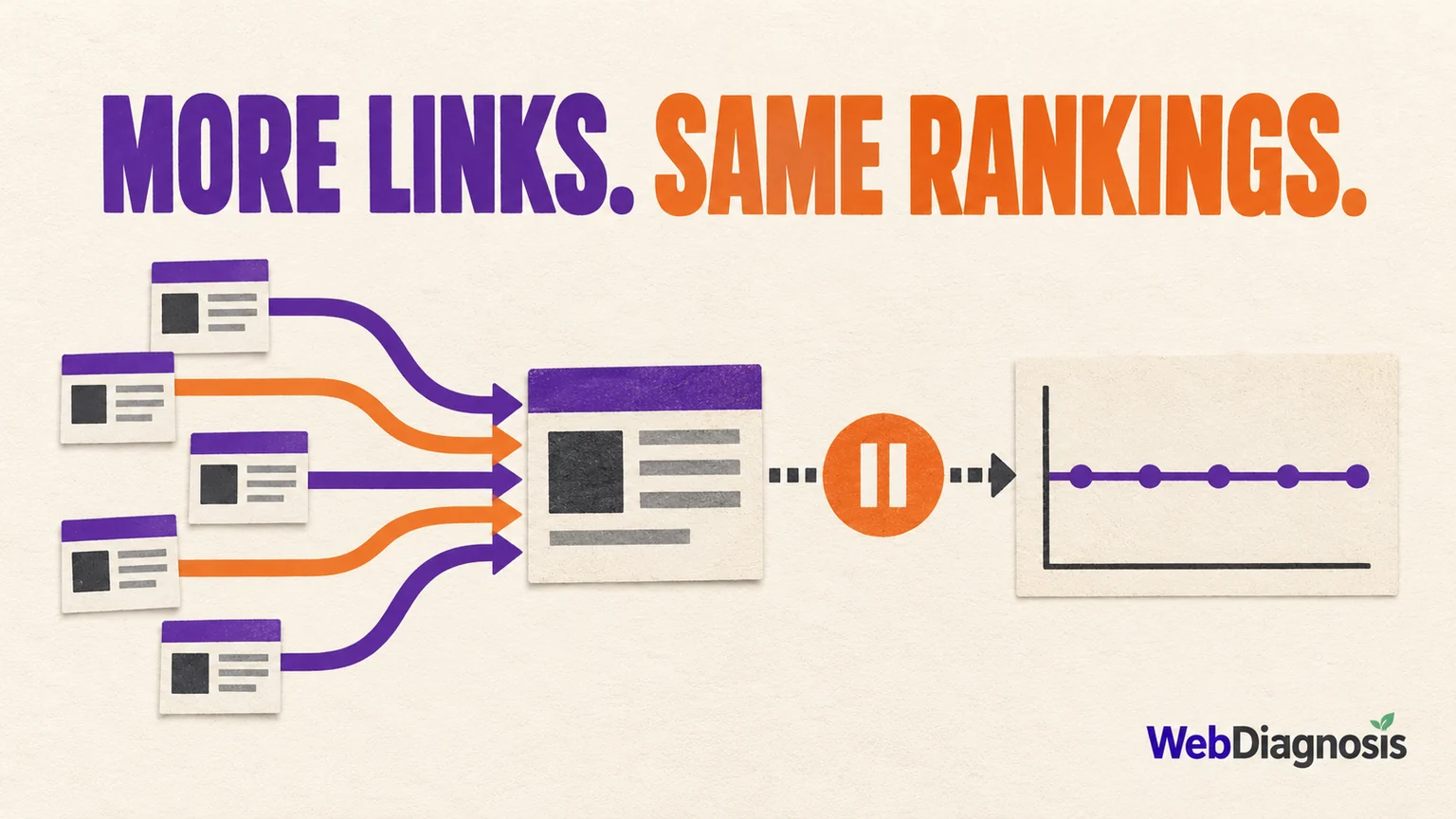
If you added internal links for SEO and rankings stayed flat, do not assume you need even more links. First confirm that you linked to the right page, from pages that genuinely support it, with crawlable links and useful anchor text. Then check whether the target page is indexed, matches the search intent and is actually the URL Google ranks for the query.
Internal links can help Google discover pages and understand how they relate to the rest of your site. They cannot make a weak page useful, settle two pages competing for the same job, or create demand that does not exist. A page also does not become important because it appears in every privacy policy.
| What changed after linking | Likely weak spot | Check next |
|---|---|---|
| The target still has no impressions | Indexing, intent, page value or the wrong URL | Inspect the target URL and search the intended query |
| A different page ranks for the query | Overlapping page ownership or conflicting signals | Compare both pages and choose the preferred result |
| Impressions increased but position stayed similar | The page may be appearing for more queries | Review query-level changes before calling it a failure |
| Position improved but clicks did not | Low demand, weak title or poor intent match | Check impressions and CTR for the same queries |
| Nothing moved and the links are buried or scripted | Google or users may not encounter useful crawlable links | Inspect the rendered HTML, placement and source pages |
Be clear about what internal links can do
Google’s link guidance gives internal links three practical jobs: helping crawlers find pages, giving people a path to related information and providing descriptive context through the anchor text.
Those jobs matter, but none is a guaranteed ranking button. More internal links will not automatically:
- make an excluded or conflicting canonical become the indexed version;
- make the page satisfy a search intent it does not answer;
- resolve two pages that substantially overlap;
- replace missing first-hand evidence, product usefulness or external reputation; or
- produce clicks when the query has little demand.
Treat internal linking as part of the diagnosis. If it was not the limiting factor, fixing it can still improve the site without producing the ranking jump you expected.
Check the target page before judging the links
Open the exact URL you intended to strengthen and verify the basics:
- It returns a clean
200response. - It is not blocked by robots rules or a
noindexdirective. - Its canonical points to the intended version.
- Search Console’s URL Inspection report shows the page you expect.
- The current results for the target query reward the type of page you created.
If Google selected another canonical, performance data may also be credited to that canonical rather than the duplicate URL. Google’s Search Console grouping documentation explains this aggregation. Measuring the non-canonical version can make a real change look invisible.
Then compare the target with the pages already ranking. Are searchers getting a product page, a tool, a comparison, a local result or a detailed explanation? Internal links can point clearly to your page. They cannot make it the right answer.
Find out whether another page owns the query
Search Console can reveal when the site is splitting one search need across several URLs. Filter the Performance report to the query, then open the Pages tab. If two pages keep appearing for the same query, read both before adding more links.
Choose the page that best completes the user’s task. Move useful material when needed, reduce unnecessary overlap and point relevant internal links toward the preferred page. Use redirects or canonicals only when the pages are genuinely duplicate or one URL should replace another. The keyword-cannibalization decision guide explains why you should not merge distinct pages merely because they share a keyword.
The aim is not to force every anchor toward one URL. It is to make the site’s page ownership understandable to a reader and consistent across navigation, content, canonicals and the sitemap.
Inspect where the internal links actually come from
Ten links from relevant pages with real readership are a different signal from ten links generated on empty archives. Count alone hides the parts worth reviewing.
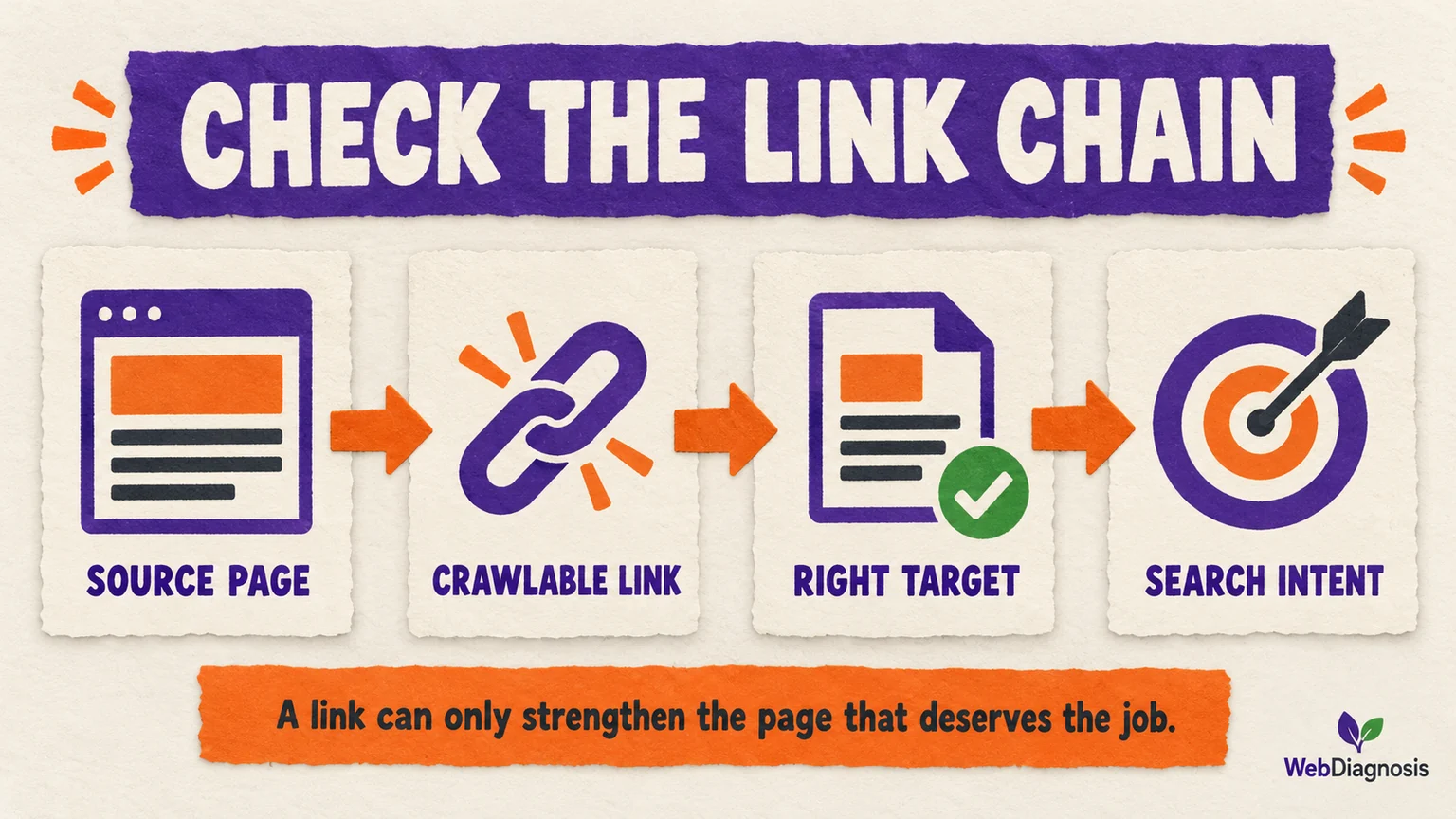
For every important source page, check:
- Relevance: Would someone reading this page reasonably need the target?
- Placement: Is the link inside the useful discussion, or buried in repeated boilerplate?
- Discoverability: Is the source page itself indexed, linked and reachable?
- Implementation: Is it a normal
<a href>link that works without relying on a click script? - Competition: Does the same paragraph point to several pages as if they all own the same answer?
Google recommends linking important pages from other relevant pages and using concise, descriptive anchor text. That supports readers first. It also avoids the strange experience of every link saying “learn more,” as though the website is keeping the subject a surprise.
Use anchor text to describe, not to chant
An anchor should tell the reader what happens after the click. “See our crawl-budget guide” is useful. Repeating the same exact target keyword across every supporting page sounds mechanical and often makes the writing worse.
Vary the wording naturally according to the sentence. Keep the topic consistent, but do not turn internal links into a keyword recital. If the destination cannot be described clearly, the problem may be the page’s purpose rather than its anchors.
Measure the target query, not the whole site’s average
Record the date the links changed. In Search Console, filter to the target page and the queries the change was meant to support. Compare complete periods with the same country, device and search type.
Google’s Performance report guide supports filtering by page, query, country and device. Its comparison guidance recommends equal periods and notes that weekly or monthly aggregation can reduce day-of-week noise.
Read the metrics together:
- More relevant impressions: Google may understand or test the page for a broader set of searches.
- Better position for the intended query: The target moved, although internal links alone do not prove why.
- Stable position but better CTR: The title or search fit may be doing more work than link changes.
- No movement: Revisit the target, page ownership and source-link quality before changing everything else.
Keep a change log. If you rewrite the article, change its title, add 30 internal links and build external links in the same week, the final graph may look exciting while explaining very little.
Know when internal linking is no longer the weak spot
Add or improve internal links when the target has a clear purpose, relevant supporting pages genuinely need it, and the existing path is weak or confusing. Stop adding them when the only remaining reason is to increase a tool’s link count.
If the page is indexed, owns the query, has strong contextual links and still cannot compete, the constraint may be content usefulness, search demand, site reputation, external evidence or simply stronger results. That requires a different diagnosis. The published guide on rankings staying flat after building backlinks covers that wider decision without treating another batch of links as the automatic answer.
Internal links work best when they clarify a site that already has something worth finding. Diagnose the page, choose its job and measure the intended queries. Then every added link has a reason to exist beyond making the audit score smile.