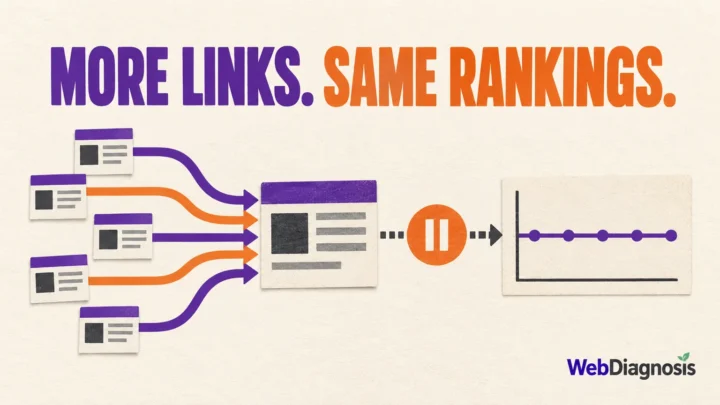


Finding another promising keyword does not automatically justify another URL.
Before you publish, ask a harder question: will this page help a different reader complete a different task, or will it repeat a job an existing page already does? If the task is the same, update the stronger page. If the task is genuinely different, a separate page can make sense even when the wording overlaps.
That distinction prevents most keyword cannibalization problems. It also avoids an equally costly mistake: merging useful pages simply because an SEO tool found the same phrase on both.
Two pages ranking for one query is not automatically cannibalization
Keyword cannibalization is usually described as two pages competing for the same keyword. That definition is too broad.
Google can show more than one page from a site for a broad query when each serves a useful purpose. A service page and an educational article may share a topic but answer different needs. They are not duplicates just because a rank tracker groups them under one phrase.
The overlap becomes harmful when two pages serve essentially the same intent and neither has a clear role. Common signs include:
- the ranking URL keeps switching without either page improving;
- an old or weaker page appears instead of the page you want people to find;
- links, clicks and useful information are divided between near-duplicates;
- both pages need almost the same title, headings and explanation to satisfy the reader.
A tool warning is a reason to inspect the pages, not proof that one must be removed.
Make the page decision before choosing the keyword
Use the existing page relationship to choose the action.
| What you find | Best starting action | Why |
|---|---|---|
| One relevant page serves the same reader task but is incomplete or old | Update it | The site keeps one stronger answer and its existing signals |
| Two pages cover the same task with substantial overlap | Merge and redirect | Readers and search engines get one clear destination |
| Two pages share terms but serve different intents | Keep both and separate their roles | Useful pages should not be combined merely because wording overlaps |
| A duplicate URL must remain accessible | Use a canonical when appropriate | Canonicalization consolidates duplicate or very similar URLs |
| The planned article solves a genuinely different problem | Create a new URL | The new page has a distinct reason to exist |
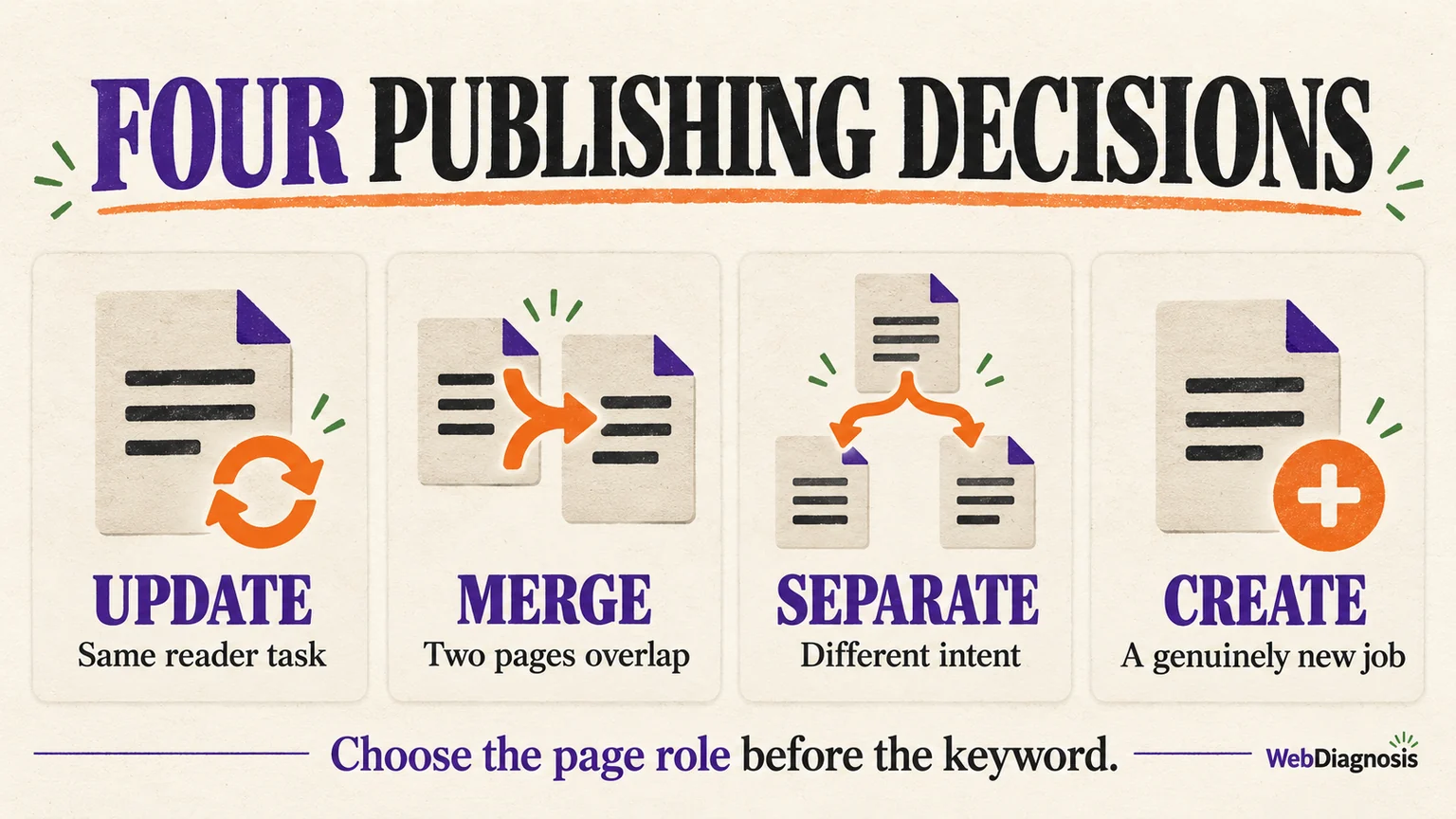
This is the practical rule: choose the page role before the keyword.
Run a five-question check before creating a new URL
1. What happened immediately before the search?
The same topic can contain several intents. Someone searching after seeing a Search Console exclusion needs diagnosis. Someone comparing software needs a shortlist. Someone whose rankings dropped needs a recovery process.
Write that moment in one sentence. If the planned page and an existing page begin with the same situation, they may be doing the same job.
2. What decision or action should the reader reach?
Do not compare pages only by their target phrases. Compare their promised outcomes.
For example, our article about duplicate pages without a user-selected canonical helps a site owner interpret a specific Search Console status. This article helps an editor decide whether a new page should exist before publication. The subjects touch, but the decisions are different.
If two pages lead to the same action, one page can usually carry the answer better.
3. Would most of the new article repeat the existing page?
Outline the proposed headings, then compare them with the current page. Repeating a definition is normal. Repeating the diagnosis, examples, decision process and next step is not.
When most of the useful material belongs naturally inside an existing article, add it there. A separate URL should not be a storage place for a slightly different keyword variation.
4. Can you describe the difference without referring to keywords?
Try this sentence:
The existing page helps ___, while the new page helps ___.
If the blanks contain two distinct audiences, situations or decisions, separation may be justified. If the only difference is that one page targets a singular phrase and the other targets a plural or longer phrase, the distinction is weak.
5. How will the two pages link to each other?
Separate pages need a clear relationship. Internal links should explain when the reader should move from one to the other, using descriptive anchor text rather than identical exact-match anchors everywhere.
If you cannot define that relationship, the site architecture may be telling you that one page is enough.
Use Search Console to confirm an existing problem
When pages are already published, Google Search Console can show whether the overlap is affecting real search visibility.
Open the Performance report, select a meaningful period such as the last three months, filter by the query and then inspect the Pages tab. Compare the URLs for impressions, clicks, average position and changes over time.
Look for a pattern, not a single day:
- Does the intended page earn most of the clicks consistently?
- Do two similar pages alternate for the same query?
- Is a lower-value page receiving impressions while the better answer is absent?
- Did one page decline after another overlapping page was published?
The report can reveal association, but it does not prove that one page caused another to fall. Rankings also change because of competition, quality, links, seasonality and search demand. Our guide to rising impressions with flat clicks explains why page and query context matters before drawing a conclusion.
A site: search can help you discover related URLs, but it is not a reliable ranking diagnostic. Use Search Console data and a direct content comparison for the decision.
Choose the least destructive fix
Update the existing page
Choose this when the planned content serves the same reader and improves the same answer. Preserve the useful URL, add the missing sections, refresh outdated claims and strengthen its internal links.
Merge overlapping pages and redirect
Choose this when two pages substantially duplicate each other and one combined page would be more useful. Move the unique material into the page you will keep, update internal links, then use a permanent redirect from the retired URL to the closest relevant destination.
Do not redirect a removed article to an unrelated page merely to retain authority. The destination should satisfy the reason someone visited the old URL.
Keep both pages but sharpen their roles
Choose this when the pages serve different intents. Rewrite titles, introductions and internal anchors so each promise is unmistakable. A transactional page should not read like a second informational guide, and an informational guide should not imitate a thin service page.
Use a canonical only for duplicate or very similar pages
Google uses canonicalization to select a representative URL from duplicate or very similar pages. It is not a general cure for topical overlap. Canonicalizing genuinely different articles can hide a useful page instead of clarifying its role.
If only one version should be accessible, a merge and redirect is often clearer. If both versions must remain available, a canonical may be appropriate. Review Google’s canonicalization guidance before using it.
Mistakes that create a larger problem
Avoid these shortcuts:
- deleting or noindexing a useful page because a tool reports overlap;
- changing a working slug when the content can be improved at the same URL;
- creating one article per keyword variation without distinct reader value;
- canonicalizing pages that serve different intents;
- merging pages without preserving unique information and relevant redirects;
- judging cannibalization from rankings alone without checking clicks, queries and page purpose.
The safest fix follows the content relationship. Technical directives come after that decision, not before it.
The publishing standard to use
Create a new URL only when you can document four things: a distinct situation, a distinct reader question, a distinct useful outcome and a logical internal-link relationship with existing pages.
If those differences are not clear, improve the page you already have. You will avoid thin overlap, keep accumulated signals together and give the reader one stronger answer.
After publishing or consolidating, monitor page-level queries in Search Console. The goal is to make each URL’s purpose clear enough that the right page appears for the right task.