
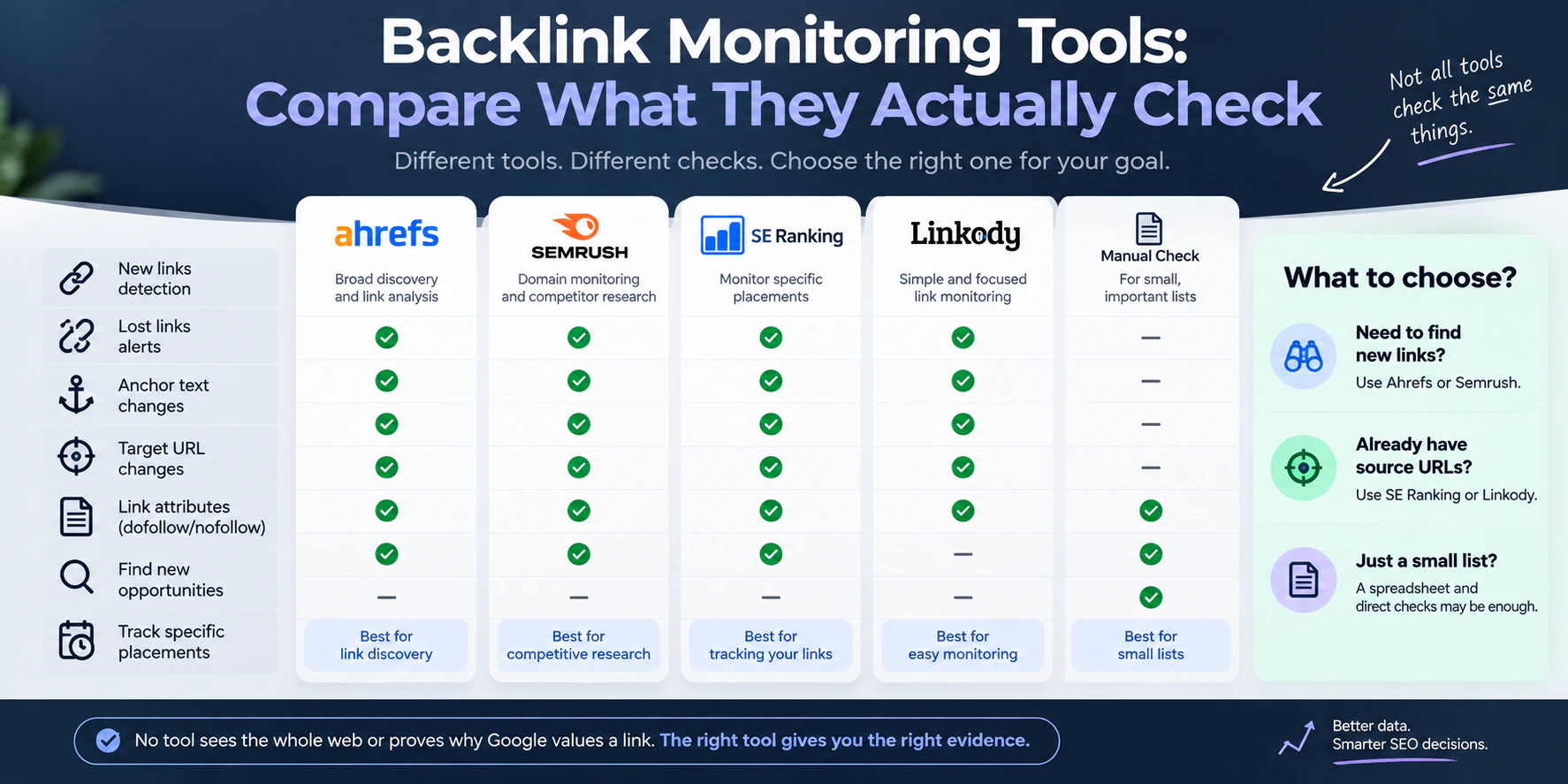
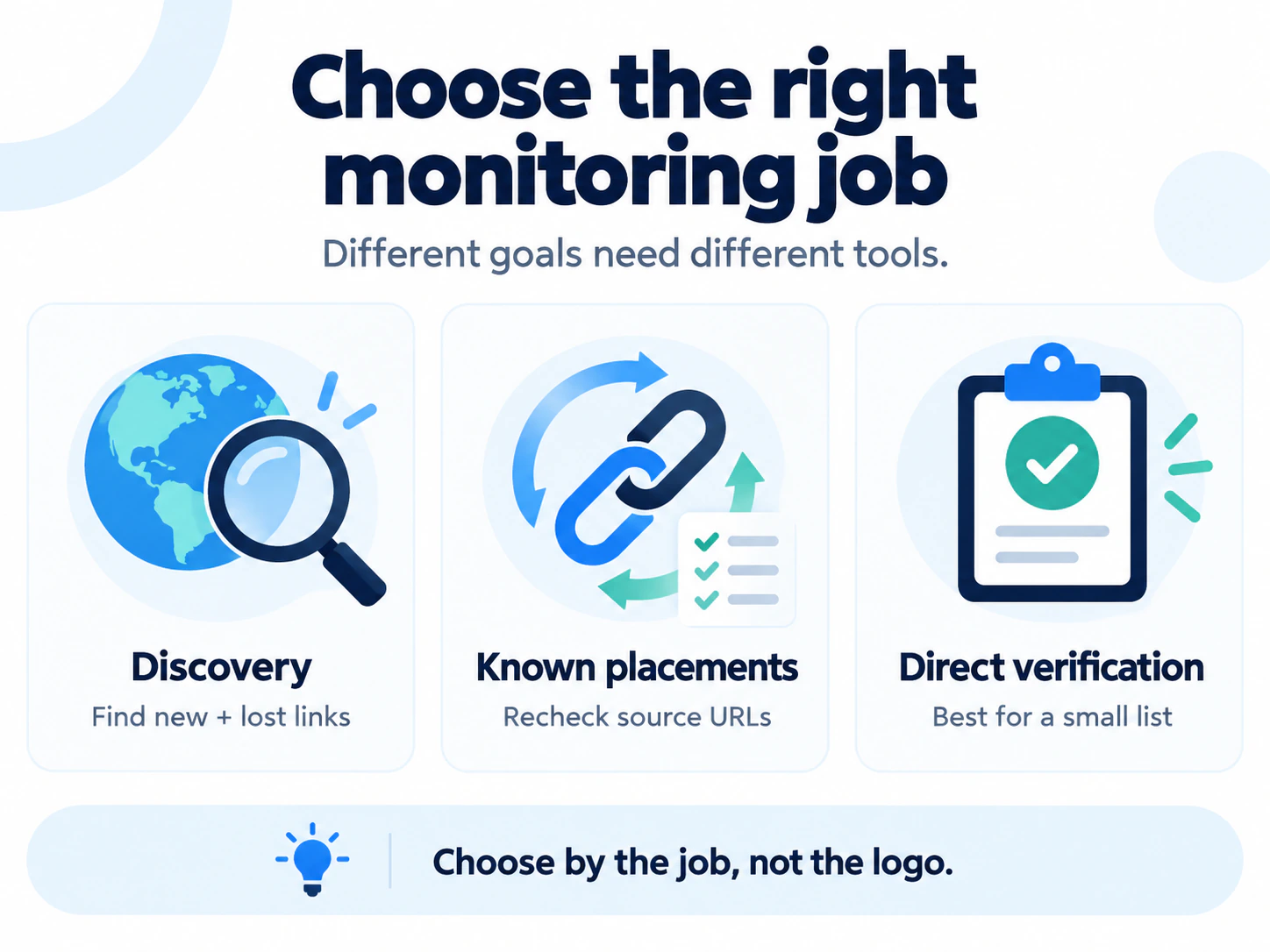
The best backlink monitoring tool depends on what you need it to notice. Use a broad backlink index such as Ahrefs or Semrush when you need to discover new and lost links across a domain. Use a placement monitor such as SE Ranking or Linkody when you already know the source URLs and want repeated checks of the link, anchor, target and attributes. For a small, important list, a spreadsheet plus dated direct checks may be enough.
No monitor sees the whole web or proves why Google values a link. A “lost” label can describe a removed link, an inaccessible source page, a redirect, a canonical change or a crawler decision. The useful tool is the one that shows enough evidence to tell those cases apart.
Choose the job before you choose the tool
Backlink monitoring is used for two different jobs:
- Profile monitoring discovers links to a domain or page, then reports changes in the provider’s backlink index. It is useful for link growth, competitor research and finding links you did not record yourself.
- Placement monitoring starts with source URLs you already know. It checks whether each expected link remains on that page and whether its target, anchor or
relattribute changed.
Some products do both, but the distinction still matters. A large index can discover an unrecorded editorial mention yet be slow to revisit an obscure page. A direct placement monitor can check the URLs you paid for every day yet never discover the best natural link you earned last night.
Backlink monitoring tools compared by their documented checks
This is a documentation-based comparison checked on 20 September 2026, not a claim that we ran a controlled accuracy test of every product. Features and plan access can change, so confirm the required checks in your account before subscribing.
| Option | Best fit | What the documentation confirms | Important boundary |
|---|---|---|---|
| Ahrefs | Broad discovery and new or lost link alerts for a domain, subfolder or URL | Backlink Alerts can email new or lost links at a chosen interval. Lost-link reports distinguish reasons including removal, source-page errors, redirects, noindex and canonical changes. | The status reflects Ahrefs’ crawl and index rules. A reported loss does not always mean the HTML link was removed. |
| Semrush | Backlink monitoring inside a wider audit and reporting suite | Backlink Audit has new, lost and broken views, target URL errors, CSV imports and scheduled recrawls. Its documented schedule choices are weekly, every two weeks or monthly. | Semrush says imported links wrapped in JavaScript or returning a non-200 response are not added to the audit campaign. Treat that as a coverage limit, not proof that the placement is absent. |
| SE Ranking | Monitoring a defined list while retaining broader backlink metrics | Links can be added manually, imported by CSV or synced from Search Console. Its monitoring documentation separates lost links from broken targets and records anchor, target, link type and last analysis. Automatic status checks revisit pages that have not been checked for more than seven days. | Its Backlink Monitor and Backlink Checker are different workflows. Confirm which one performs automatic rechecks for your list. |
| Linkody | Frequent checks of known placements with expected values | Linkody documents checks approximately every 24 hours and statuses for link not found, wrong landing page, wrong anchor, wrong rel, source errors and target-page errors. It supports manual links as well as automatic discovery. | Its help centre says the report shows one backlink per referring domain. That may not suit audits where multiple placements on the same domain must remain separate. |
| Google Search Console | A free Google-provided view to supplement another record | The Links report shows top linking sites, linked pages and link text, with exports of latest links and additional samples. | Google calls the report a sample, says links may have since been removed and does not show whether a link is nofollow. It is not a placement monitor. |
| Spreadsheet plus direct checks | A small list of contractual, editorial or otherwise important placements | You define the expected source, target, anchor and attribute, then save dated results from a browser or direct verifier. | You must supply the URLs and repeat the checks. A one-time verifier does not discover backlinks or send change alerts. |
A useful alert should show what changed
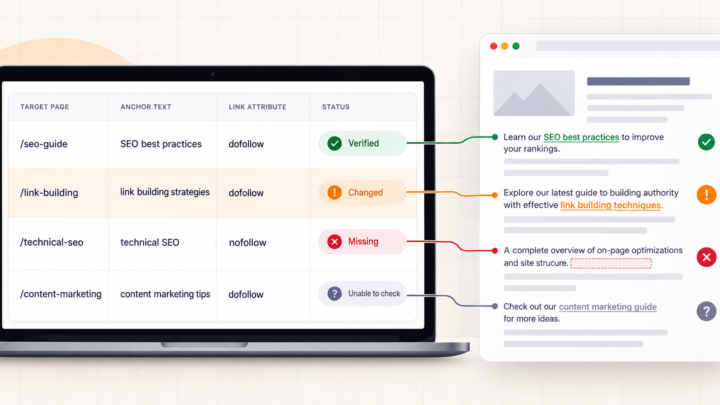
An email saying “12 backlinks lost” creates work. A useful alert reduces it. For every important placement, look for these fields:
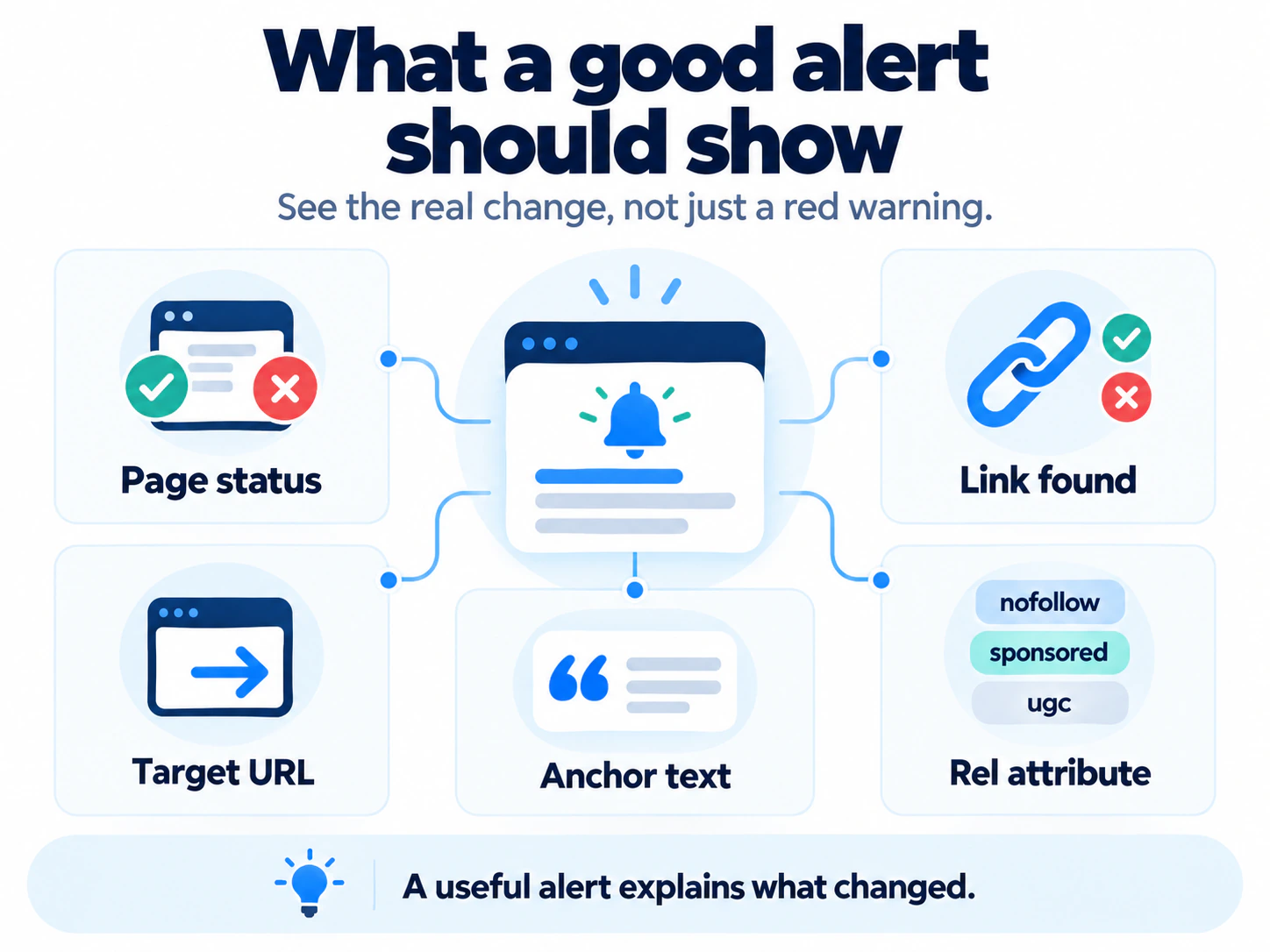
- Source response and final URL. Did the page load, redirect, return an error or block the checker?
- Link presence. Was a normal link to your domain or expected URL found in the returned page?
- Actual destination. Does the link still point to the agreed page, and where does that URL finally resolve?
- Anchor and attributes. Did the visible anchor, image link or
rel="nofollow",sponsoredorugcvalue change? - Target response. A link can remain on the publisher’s page while your destination becomes a 404 or enters a redirect chain.
- Check time and prior state. Without a dated earlier reading, the tool can show what exists now but not confidently establish when it changed.
There should also be an unverified state. A timeout, login wall, robots restriction, bot challenge or server error means the checker could not establish link presence. Reporting every unreadable page as “link removed” turns crawler trouble into an accusation against the publisher.
“Lost” is a tool observation, not a final diagnosis
Ahrefs’ documented lost-link reasons show the problem clearly. “Link removed” means the source page was live but the target link was not found. Other labels describe a source-page redirect, noindex, different canonical, crawl error or removal from Ahrefs’ own index. Those situations do not all require the same response.
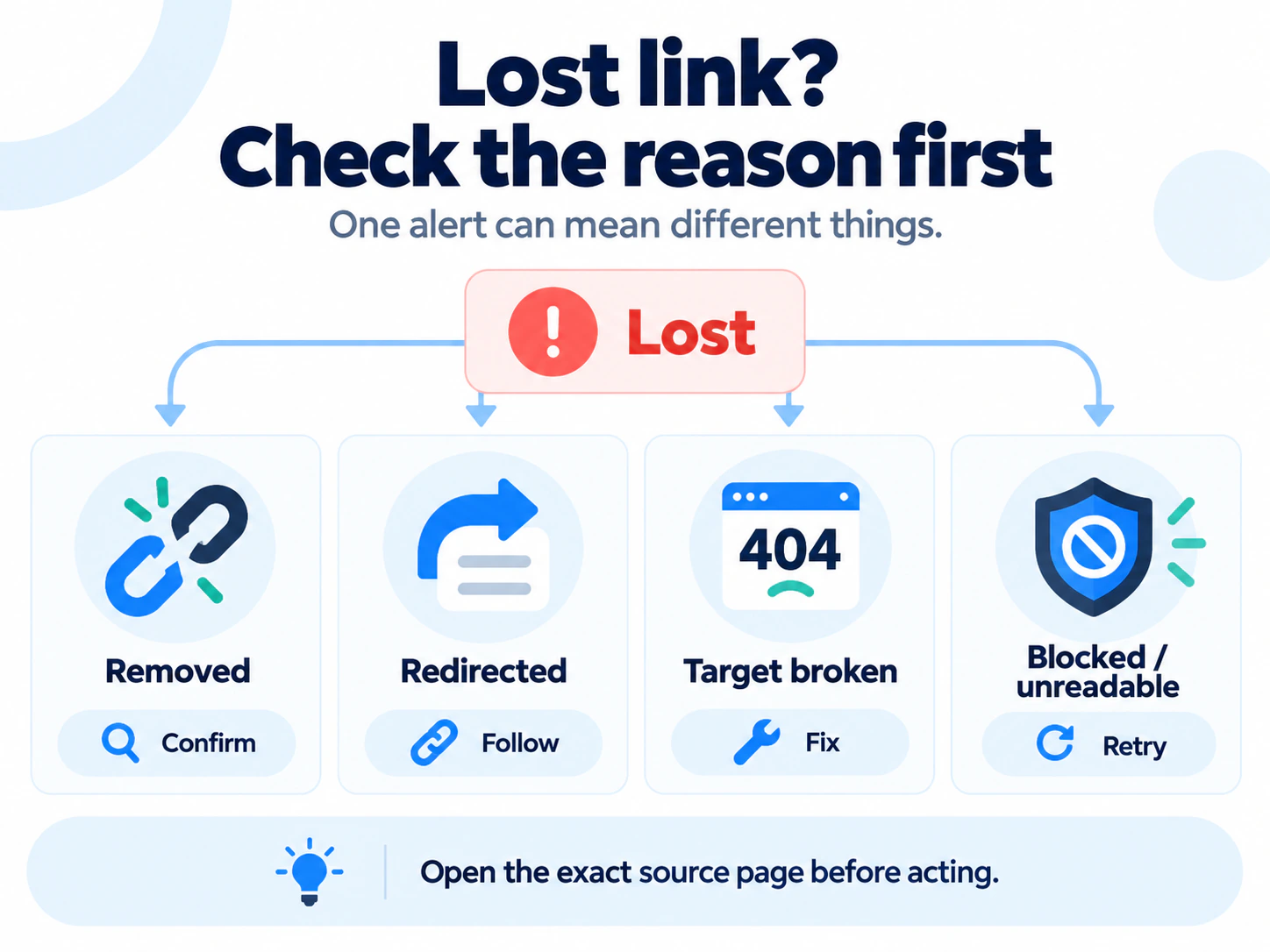
Open the exact source page before contacting anybody. If the link is gone, compare the current page with your placement record. If the source moved, check its final URL. If the link still exists but your target is broken, repair your page or redirect. If the page cannot be read, retry before classifying it. The separate guide to checking lost backlinks walks through that diagnosis.
Test monitors with your own 20-link set
Vendor index sizes and feature lists do not tell you how a monitor will handle your placements. Build a small evaluation set that represents the work you actually do:
- several normal editorial links;
- a source URL that redirects;
- a link whose target redirects;
- a nofollow, sponsored or UGC link;
- a page that is occasionally slow or protected; and
- multiple placements on one referring domain if that is common in your reports.
Save the correct source, target, anchor and attribute for each row. Import the same list into the tools you are considering. Compare what each one reports, how it handles an unreadable page, whether you can inspect the evidence, how quickly a corrected link returns to normal and whether exports preserve the fields your team needs.
If an agency or vendor supplied the links, include the agreed destination and placement type in the baseline. The monitor can observe the page, but it cannot read your contract. Use the link-building report audit when the question is whether reported work matches what was delivered.
When a spreadsheet and direct verifier are enough
You may not need another subscription if you maintain a short list and do not require rapid alerts. Keep one row per placement with the source URL, expected target, expected anchor or attribute, owner, placement date, last check, current result and evidence. Recheck high-value or contractual links more often than low-priority mentions.
Move to automated monitoring when the list is too large to recheck reliably, a missed change has a real cost, clients need dated history, or the time between checks matters. Keep Search Console connected as another source, but do not treat its sample as a complete ledger.
The practical verdict
Choose Ahrefs when broad discovery and new or lost link alerts are the main job. Choose Semrush when backlink changes belong inside an existing audit and reporting workflow. Compare SE Ranking and Linkody when you want repeated checks of a known placement list and more explicit placement statuses. Use Search Console as supporting evidence, not as your only monitor.
For a small list, start with a spreadsheet and direct checks. Whatever you choose, insist on the exact source, target, attributes, timestamp and an honest unverified state. A monitor earns its place by helping you decide what to do next, not by producing the largest red number.