

If a backlink is live but the page carrying it is not indexed, do not pay for an indexing service yet. First check whether the page can be accessed, whether it permits indexing, whether another URL is canonical, whether your link is genuinely crawlable and whether you are mistaking a missing report row for a missing index entry.
One of those checks usually tells you whether to contact the publisher, wait, replace the placement or simply stop refreshing three SEO dashboards like one of them owes you an apology.
There is an important language problem here. Google indexes pages, not backlinks as standalone documents. When someone says a backlink is “not indexed,” they usually mean one of two things: the external page containing the link does not appear to be in Google’s index, or the link is missing from Ahrefs, Semrush or Search Console. Those are related questions, but they are not the same diagnosis. An absent search result also cannot tell you, by itself, whether Google crawled the page, saw the link or used it.
| What you find | What it means | Best next move |
|---|---|---|
| The source URL redirects, errors or requires a login | The original placement is not openly available at that URL | Check the final destination and ask the publisher to repair the page |
The page has a noindex directive | The publisher is telling Google not to index that page | Ask whether it is intentional; an indexer cannot override the publisher’s rule |
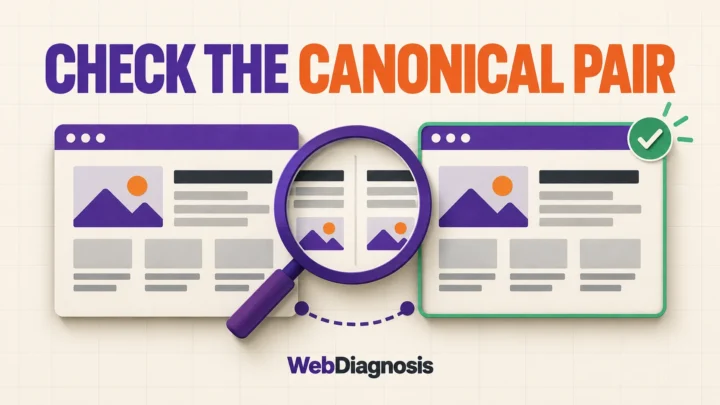
| The page canonicals to another URL | Google may treat another URL as the main version | Check whether the canonical page contains your link |
The page is accessible and indexable, but the link is not a normal <a href> | Google may not reliably extract the destination | Request a crawlable link implementation |
| The page and link look sound, but one report is missing them | You may have a discovery, refresh or reporting gap | Record the placement date and compare the same URL later |
1. Check the exact page, not the domain
Open the precise URL where the backlink was placed. A healthy homepage does not prove that a buried guest post, profile or comment page still works.
Confirm that the page loads without signing in and that the address bar ends on the URL you expected. Then check its HTTP response and redirect path. A 200 response means the server returned a page successfully. A 3xx response sends visitors and crawlers somewhere else. A 404, 410 or recurring server error means there is no indexable placement at the original address.
Do not stop at “I can see the page.” A browser may follow a redirect automatically, show content after a login or load a fallback that hides the fact that the original URL has changed. Record the final URL, status and date. That small note is more useful than a screenshot of a backlink total.
2. Check whether the page permits indexing
Look in the page’s HTML for a robots meta tag and in its HTTP headers for an X-Robots-Tag. If either contains noindex, the page owner is explicitly asking supporting search engines not to include that page.
Google’s noindex documentation says Google drops a page carrying that rule from Search after Googlebot crawls and reads it. It also explains a common complication: if robots.txt blocks crawling, Googlebot may not be able to see the noindex rule at all. “Blocked” and “not indexed” are not interchangeable labels.
You do not control those directives on somebody else’s site. If the placement matters, ask the publisher whether the restriction is intentional. If it is, decide whether the link still has referral, partnership or audience value. Do not claim that a non-indexed page makes a link universally worthless. You cannot see Google’s private link processing, and the page may still send real visitors. You can only say that the source page is not eligible to appear in Search while the noindex rule applies.
Passing the technical checks does not guarantee inclusion either. Google’s technical requirements say an accessible page with a successful response and indexable content is eligible for indexing, but indexing is not guaranteed. If the page has no blocking directive, inspect whether it is duplicated, isolated from the publisher’s internal navigation or too thin to justify a separate result. That is a page-quality and site-structure problem for the publisher, not something an indexing button can repair.
3. Follow the redirect and canonical signals
A page can return content and still point search engines toward another URL. Check the final URL after redirects and the page’s rel="canonical" value.
Google treats permanent redirects and canonical annotations as strong signals for which URL should represent duplicate or very similar content, according to its canonicalization guidance. That does not automatically make the placement bad. It changes the URL you need to inspect.
- If the source URL redirects, open the final page and confirm that your backlink survived the move.
- If the canonical points elsewhere, check whether the canonical page contains the same content and your link.
- If the canonical points to an unrelated page or another domain, ask the publisher why. It may be a configuration problem, syndication setup or a placement that was never intended to stand alone.
Do not try to “index” the discarded version while ignoring the URL the site itself says is primary. Fixing the signal is the publisher’s job.
4. Confirm that the backlink is a crawlable link
Seeing your brand name on the page does not prove there is a usable backlink. Inspect the element around it. Google says it can generally crawl links written as an HTML <a> element with an href that resolves to a real web address. Script-only buttons, spans pretending to be links and anchors without an href are not reliable substitutes. The examples are in Google’s link best-practices guide.
Check four details:
- The link has a real
href. - The destination resolves to the page you intended, not a broken or unrelated URL.
- The anchor text and surrounding sentence make sense to a reader.
- Any
nofollow,ugcorsponsoredvalue matches the placement. If the labels are unclear, use this guide to link attributes before treating one attribute as a quality score.
Also compare the HTML with the rendered page. Some publishers load content differently for logged-in users, block resources or remove links after moderation. The question is not whether the anchor looks blue. It is whether the final page contains a crawlable link for ordinary visitors and crawlers.
5. Separate Google indexing from backlink reports
A missing backlink in Ahrefs, Semrush or Google Search Console does not prove that the source page is absent from Google’s index.
Ahrefs and Semrush operate their own crawlers and databases. Ahrefs says a new backlink can take days or weeks to enter its index, depending partly on how often AhrefsBot revisits the page. Semrush describes a much faster average update cycle in its own backlink database. Neither schedule describes Google’s index. Search Console is closer to Google, but its Links report is still a sample, not a complete list of every link Google knows. It can omit non-indexed or deduplicated source URLs, and its tables group data in ways that make row-by-row comparisons misleading.
Google’s URL Inspection tool would be the clearest place to inspect Google’s indexed version of a page, but there is a catch: the URL must belong to the Search Console property currently open. You cannot inspect a publisher’s external page in your own property. If the publisher is cooperative, they can inspect it in theirs and share the current result.
Without that access, treat an exact-URL search, a unique-sentence search and third-party index checks as clues rather than courtroom evidence. A positive result shows the page can be found. A missing result does not reveal why it is missing, and it certainly does not show whether Google assigned value to one outbound link.
Should you use a backlink indexing service?
Not before the five checks above. An indexing service cannot remove a publisher’s noindex, repair its server, change its canonical or turn a script event into a proper link. Paying before checking those conditions is paying someone to knock harder on a door that may be bricked shut.
If the page is accessible, indexable, canonical to itself, linked from the publisher’s own site and useful enough to stand on its own, allow a reasonable discovery and recrawl window. “Reasonable” depends on the site and page, so record the placement date instead of promising a universal number of hours or days.
If a service guarantees indexing, ask what the guarantee actually covers: submission, temporary appearance, inclusion at a checking date or a refund. None of those proves that Google will retain the page, count the backlink or improve your rankings. Google’s technical requirements make the boundary clear: meeting the minimum requirements only makes a page eligible for indexing. Inclusion is not guaranteed.
Decide whether to fix, wait or walk away
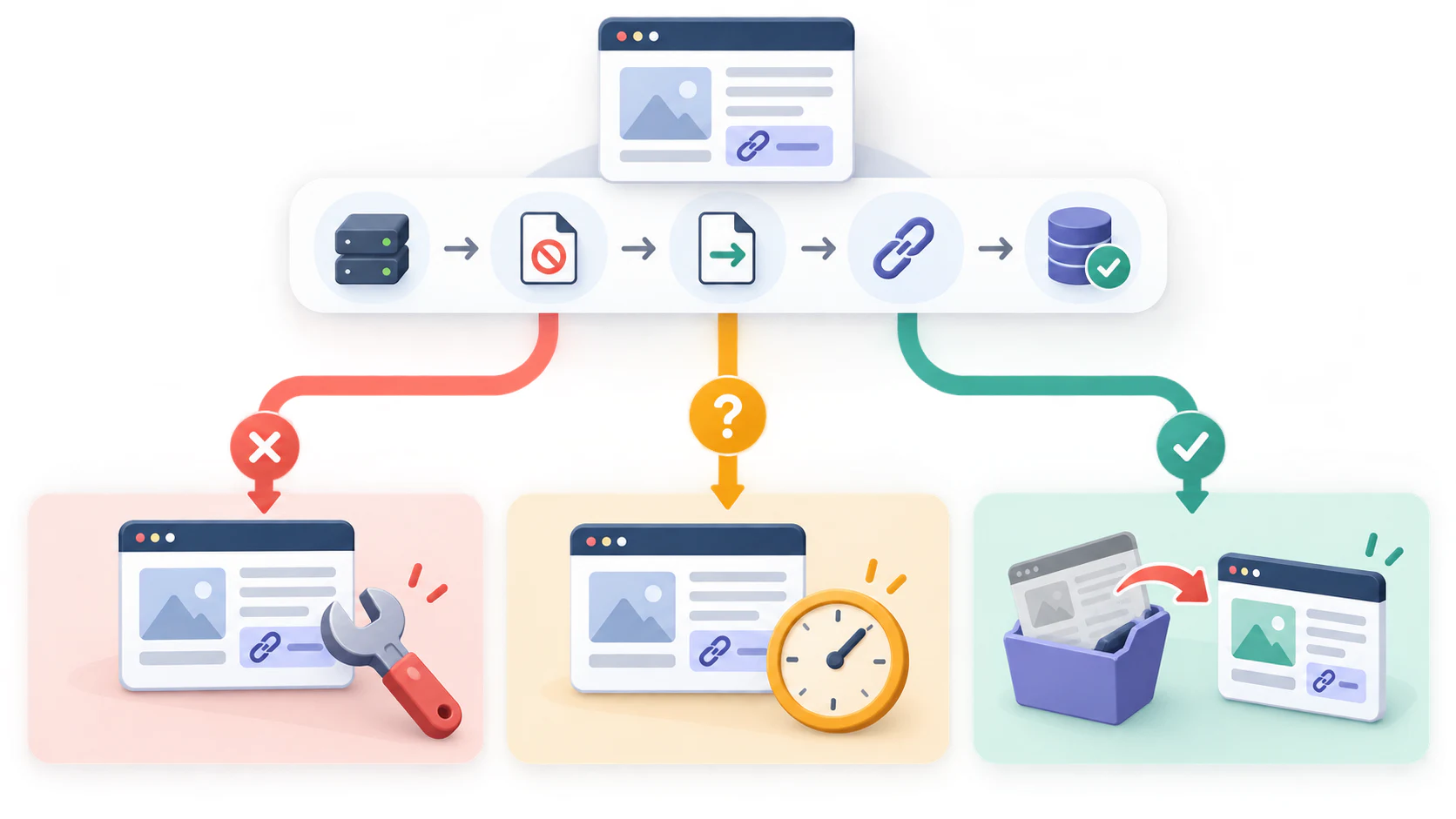
- Fix: Contact the publisher when the URL errors, redirects away, points to the wrong canonical, hides the link or carries an unexpected indexing rule.
- Wait: Monitor when the placement is recent, the page is technically open and the only problem is absence from a third-party report.
- Walk away: Reconsider the placement when the page is orphaned, mass-produced, unrelated to the site or kept only to hold outbound links. Forcing that page into an index does not create the audience, editorial reason or trust that was missing.
The last decision is where backlink indexing meets prospect quality. A page should have a reason to exist before it has a reason to link to you. If the only value of the page is that it contains your backlink, the problem began before indexing.
For a new campaign, the better sequence is to qualify the source page, earn a placement that helps its readers, record the live URL and then monitor what changes. This page-level prospect-vetting process shows what to reject before outreach. If the placement is already live, compare what backlink monitoring tools actually recheck before treating a missing database row as a lost or unindexed link.
For an existing backlink, keep the conclusion narrower: confirm the page, confirm the rule, confirm the canonical, confirm the link and confirm what your report actually measures. Then act on the evidence you have. Backlink indexing is a diagnostic problem first and a tool purchase second.